Best Open Source AI Agents: Feature Overview
| Provider | Starting Price | Rating | Moneyback | |
|---|---|---|---|---|
![]() | £11.97 | - | Visit Symphony | |
![]() | £4.13 | 30 Days | Visit Hostinger | |
![]() | £18.70 | - | Visit Lovable | |
![]() | £3.51 | 30 Days | Visit Bluehost | |
![]() | £1.50 | 30 Days | Visit IONOS | |
![]() | £1.68 | 30 Days | Visit HostGator | |
![]() | £2.99 | 30 Days | Visit Kamatera | |
![]() | £4.74 | - | Visit Contabo | |
| £3.59 | 30 Days | Visit Ultahost | |
![]() | £2.61 | 30 Days | Visit Hosting.com |
What Are Open Source AI Agents?
Open source AI agents are software systems that use artificial intelligence to understand instructions, make decisions, and perform tasks with limited human intervention. Their source code is publicly available under an open-source license, allowing developers to inspect, modify, and adapt the software according to their needs. These agents can automate tasks such as research, data analysis, customer support, coding, and business process management. Depending on the framework, they can connect to language models, external tools, databases, and APIs to complete multi-step workflows. Some can run locally or on a private server, giving users greater control over their data and configuration.
When to Choose and When to Avoid Open Source AI Agents
| Reasons to Use | Reasons Not to Use |
| You want to automate repetitive tasks, such as sorting information, summarizing documents, or preparing reports. | You only need a simple chatbot or occasional AI assistance that a standard AI application can already provide. |
| You need to customize an agent’s behavior, connect it to your own applications, or change its source code. | You do not have the technical skills or time to configure, update, and troubleshoot the software. |
| You want to inspect the source code and understand how the agent operates. | You need a fully managed solution with guaranteed support and minimal maintenance. |
| You want to run agents on your own computer or server to maintain greater control over data. | You cannot provide the computing resources, security measures, or access controls required for your workload. |
| You need to build multi-step workflows that interact with databases, APIs, or other software. | Your tasks are too simple to justify setting up and maintaining an agent framework. |
| You want to avoid per-user licensing fees and choose your own infrastructure. | You expect open-source software to be completely free, including hosting, model usage, storage, and maintenance. |
| You need flexibility to switch between compatible AI models or service providers. | You require a specific commercial model or proprietary feature that the chosen framework does not support. |
| You have developers who can test agent outputs and monitor automated actions. | You plan to let an agent make financial, legal, or other high-impact decisions without human review. |
Open Source AI Agent Alternatives
If open source AI agents are not relevant to your needs, consider these alternatives:
– Commercial AI Agents: Suitable for businesses that want ready-made automation features, vendor support, and less technical setup. They usually operate through subscription plans or usage-based pricing.
– AI Chatbots: Ideal for answering questions, assisting customers, and generating text without the complexity of autonomous multi-step workflows.
– No-Code Automation Platforms: Useful for connecting applications and automating repetitive processes through visual workflows. They suit users who prefer configuring triggers and actions instead of writing code.
– AI Agent Builders: Best for users who want to create custom agents through visual interfaces, templates, and prebuilt integrations without developing every component manually.
– Self-Hosted Commercial AI Software: Suitable for organizations that want greater control over deployment and data while using software that may include paid support or proprietary features.
How to Choose the Best Open Source AI Agents
Choosing the right open-source AI agent requires balancing the tasks you want to automate, your technical skills, the available infrastructure, and the level of control you need.
– Define Your Main Use Case: Decide whether you need an agent for coding, research, customer support, data processing, or general business automation. Choose a framework designed for your intended tasks rather than one with features you will never use.
– Check the License: Confirm that the software’s license allows your intended use, especially if you plan to use it commercially, modify the code, or distribute a customized version.
– Evaluate Model Compatibility: Check whether the agent supports your preferred AI models, including local models and external APIs. Review any additional model usage fees before making a decision.
– Assess Technical Requirements: Review the installation process, operating system compatibility, memory requirements, and server resources. If you lack server administration experience, prioritize frameworks with clear documentation and straightforward deployment options.
– Review Integrations: Look for compatibility with the applications, databases, APIs, and communication tools your workflows already use. Missing integrations may require custom development.
– Prioritize Security and Privacy: Check how the agent handles credentials, stored data, permissions, and external requests. Use restricted permissions and avoid granting unrestricted access to sensitive systems.
– Test Reliability Before Deployment: Run realistic tasks to evaluate accuracy, error handling, and consistency. Make sure you can review actions and recover when an agent produces an incorrect result.
– Compare Total Costs: Open-source software may have no licensing fee, but hosting, model API calls, storage, development, and maintenance can add up. Estimate the full cost of running the agent over time.
– Check Maintenance and Community Activity: Look for recent updates, clear documentation, issue resolution, and an active community. These factors can make troubleshooting and long-term maintenance easier.

Symphony by Wix provides an AI agent platform designed to coordinate multiple agents through a central orchestrator. It connects AI workflows with external tools and services, helping users automate multi-step tasks without managing every action manually. Its integration options and approachable interface make it worth considering for teams exploring agent-based automation. However, organizations seeking open-source software should verify licensing, publicly available components, and self-hosting options before making a commitment.
Rating Overview
- Overall Score: 4.8
- Features: 4.9
- Reliability: 4.7
- User-Friendly: 4.9
- Support: 4.7
- Pricing: 4.8
Detailed Analysis
Performance: Symphony focuses on coordinating multiple AI agents and connecting workflows to external applications. Its orchestration approach allows teams to divide complex tasks between specialized agents instead of relying on a single general-purpose assistant. Actual performance depends on model capabilities, integration quality, task complexity, and how workflows are configured.
Support: Wix has an established support ecosystem for its products, which can help users navigate platform-related questions. However, assistance for particular AI agent features may depend on the product and subscription. Teams should confirm available support channels and coverage before using the platform for business-critical automation.
Security: Connecting agents to external tools requires careful management of permissions, credentials, and access to business data. Organizations should review available security controls and ensure that each agent receives only the access it needs. Sensitive workflows should be tested to identify potential risks before automation is deployed widely.
Pricing: Teams should review entry-level costs, included AI usage, and any subscription requirements against their expected workload. Model consumption and paid integrations may increase the total cost as automation expands. Estimating usage in advance can help businesses determine whether the platform remains cost-effective at scale.
Ease of Use: Symphony is designed to make creating and coordinating AI agents more accessible. Users can connect services and configure workflows without necessarily managing every technical component themselves. Nevertheless, effective deployment still requires clear instructions, careful integration setup, and ongoing checks to ensure automated tasks produce reliable results.
Pros and Cons
- Supports coordination between multiple AI agents.
- Provides integration options for automated workflows.
- Can reduce repetitive manual tasks.
- Helps teams explore multi-agent processes.
- Offers an approachable way to organize complex automation.
- Open-source licensing and self-hosting options require verification.
- Complex workflows may need ongoing monitoring.
- AI usage and paid integrations can affect total costs.
-
Best Overall Hosting 2026
-
Users Top Choice 2026
-
Most Recommended NodeJS 2026
-
Best AI App Builder 2026
-
Top 5 Europe Web Hosting 2026

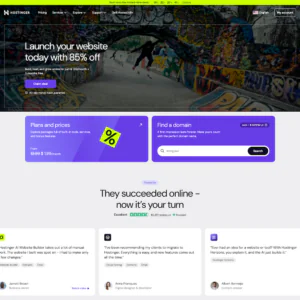
Hostinger is a hosting provider offering infrastructure and deployment options for developers and businesses that want to run open-source AI agents on their own servers. Its AI agent deployment options, VPS resources, and root access give users control over their applications and configurations. Preconfigured templates can simplify setup, making Hostinger a practical choice for running automation tools, coding assistants, and business workflows continuously without building an entire server environment from scratch.
Rating Overview
- Overall Score: 4.8
- Features: 4.9
- Reliability: 4.8
- User-Friendly: 4.9
- Support: 4.7
- Pricing: 4.8
Detailed Analysis
Performance: Hostinger’s VPS hosting provides virtual server resources for running AI agents, background processes, and automation frameworks. Users can choose configurations that match their applications and adjust resources as workloads grow. Performance depends on the selected plan, memory requirements, software configuration, and whether the agent relies on external AI APIs.
Support: Hostinger provides customer support for its hosting services, helping users with server and infrastructure-related questions. However, troubleshooting third-party open-source frameworks or custom agent code may require additional technical knowledge. Users should understand the distinction between hosting support and assistance with their own AI applications.
Security: Root access allows users to configure security settings, manage permissions, and install necessary updates. Strong authentication, firewall rules, regular backups, and careful management of API credentials are important for protecting deployed agents. Businesses should also limit agent permissions and monitor activity when applications access sensitive information.
Pricing: Hostinger offers VPS plans at different resource levels, allowing users to begin with a smaller deployment and upgrade as demand increases. This flexibility can help manage infrastructure spending during development and testing. External model API usage, paid integrations, backups, and other services may add to the overall cost.
Ease of Use: Preconfigured deployment templates can reduce the effort required to install supported AI agent frameworks. Hostinger’s management dashboard also helps users oversee their hosting environment. Advanced customization, troubleshooting, and dependency management may still require command-line experience.
Pros and Cons
- Offers preconfigured options for supported open-source AI agents.
- Provides root access for software customization.
- Suitable for continuously running agent applications.
- Includes multiple VPS configurations for different workloads.
- Allows resource upgrades as projects expand.
- Some deployments require command-line experience.
- External AI model usage may incur additional costs.
- Custom framework issues may require independent troubleshooting.
-
Top 10 AI App Builders 2026

Lovable is an AI-powered application development platform that helps users build websites and web applications using natural-language instructions. It can turn ideas into working software, including applications that integrate AI models, APIs, and automation features. For developers exploring open-source AI technologies, Lovable is useful for creating custom agent interfaces, dashboards, and supporting application logic. However, generating application code is different from deploying a fully autonomous AI agent, which may require additional frameworks and infrastructure.
Rating Overview
- Overall Score: 4.6
- Features: 4.7
- Reliability: 4.5
- User-Friendly: 4.9
- Support: 4.4
- Pricing: 4.5
Detailed Analysis
Performance: Lovable can generate application interfaces, connect components, and help implement backend functionality. Developers can use it to create chat interfaces, dashboards, and tools that communicate with AI services through APIs. The resulting application’s performance depends on the generated code, external services, and deployment environment.
Support: Lovable offers documentation and platform support resources to help users build and manage applications. Assistance with third-party integrations or open-source agent frameworks may depend on the technologies involved. Developers should be prepared to troubleshoot custom code and integration issues when building more advanced AI-powered products.
Security: AI-powered applications may handle user accounts, API credentials, and sensitive information, making security an important consideration. Developers should review authentication, database permissions, secret management, and access controls before deployment. Generated code should also be tested for vulnerabilities rather than assumed to be production-ready.
Pricing: Lovable provides an entry point for experimentation, while paid plans offer additional usage and development capacity. The total cost depends on the chosen plan, development activity, and connected services. AI API consumption, hosting, databases, and other external tools may introduce additional expenses.
Ease of Use: Natural-language prompting helps users create application components without writing every line of code manually. Follow-up instructions allow iterative refinement as requirements evolve. More complex projects may still require direct code editing, debugging, and technical knowledge to ensure the application behaves as intended.
Pros and Cons
- Speeds up AI-powered application development.
- Helps create custom interfaces for AI workflows.
- Reduces the need for manual coding.
- Supports prototyping agent-based products.
- Makes iterative application refinement more accessible.
- Is not a dedicated open-source AI agent framework.
- Complex applications still require testing and maintenance.
- External APIs and hosting can increase total costs.
-
Top 10 WordPress Hosting 2026
-
Top 10 Website Builder 2026
-
Over 99% Uptime 2023
-
Top 25 WordPress Hosting 2023

Bluehost offers hosting services and tools designed to support AI applications and automation. Its Agent Hosting environment is intended for developers who want to run AI agents, workflows, and applications without managing every infrastructure component independently. Support for tools such as n8n, Python, Node.js, and selected agent frameworks makes it relevant for automated research, customer support, and business processes. Bluehost is best viewed as a deployment environment for open-source agents rather than an open-source agent project itself.
Rating Overview
- Overall Score: 4.7
- Features: 4.8
- Reliability: 4.8
- User-Friendly: 4.7
- Support: 4.6
- Pricing: 4.5
Detailed Analysis
Performance: Bluehost’s Agent Hosting environment supports AI applications, automation workflows, and common development tools. Root access gives developers greater control over software configuration, while persistent vector memory can support applications that retrieve stored information. Actual performance depends on available resources, agent complexity, and the demands of connected services.
Support: Bluehost provides support for its hosting products and underlying infrastructure. This can help developers resolve hosting-related issues and manage their deployment environment. Assistance with third-party agent frameworks or custom application code may vary, so users should be prepared to consult framework documentation and troubleshoot integrations.
Security: Root access enables developers to configure permissions, install updates, and apply security measures suited to their applications. Secure API key storage, restricted access, firewall configuration, and regular backups are important for protecting agent deployments. Businesses should also review how persistent memory stores information, particularly when agents process sensitive data.
Pricing: Hosting costs depend on the selected package, available resources, and included features. Developers should compare these costs with their expected workloads before choosing a plan. External model API usage, additional storage, and other connected services can increase the total cost of operating an AI agent.
Ease of Use: Bluehost’s hosting environment can reduce some of the work involved in preparing infrastructure for AI applications. Support for familiar development tools may simplify deployment for users with programming experience. However, configuring dependencies, managing permissions, and troubleshooting agent behavior can still require technical knowledge.
Pros and Cons
- Offers hosting designed for AI agents and workflows.
- Provides root access for custom configurations.
- Supports common development environments such as Python and Node.js.
- Persistent vector memory can support retrieval-based applications.
- Suitable for ongoing automation and application hosting.
- Open-source agents may require manual configuration.
- Total costs depend on infrastructure and model usage.
- Third-party framework troubleshooting may require independent expertise.
-
Best Value for Money 2026
-
Editor's Choice 2026
-
Most Recommened PHP Hosting 2026
-
Top 5 UK Web Hosting 2026
-
Top 5 Europe Web Hosting 2026

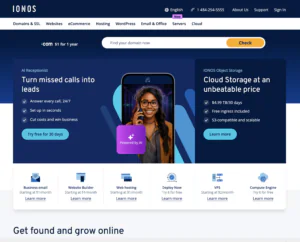
IONOS is a cloud and hosting provider offering infrastructure for developers who want to deploy custom applications, including open-source AI agents. Rather than focusing exclusively on ready-made agent templates, IONOS allows users to select their software stack and configure the environment around project requirements. Its virtual servers and cloud services can support agent frameworks, API integrations, databases, and background processes. However, users generally need to choose suitable infrastructure and install their preferred agent software themselves unless a compatible managed solution is available.
Rating Overview
- Overall Score: 4.6
- Features: 4.7
- Reliability: 4.8
- User-Friendly: 4.4
- Support: 4.6
- Pricing: 4.7
Detailed Analysis
Performance: IONOS provides virtual server and cloud infrastructure capable of hosting Python-based agents, automation tools, and applications connected to language models. Developers can configure computing resources, storage, and networking according to their workloads. Performance depends on the selected plan, software efficiency, and the demands of external AI services.
Support: IONOS offers support for its hosting and cloud services, helping customers manage infrastructure-related issues. However, troubleshooting individual open-source frameworks or custom agent code may require additional expertise. Developers should be prepared to use project documentation and community resources when resolving application-specific problems.
Security: Configurable infrastructure gives users control over operating system updates, permissions, firewall rules, and application access. Regular backups and secure API credential management are important for protecting agent deployments. Businesses should also monitor their applications and establish recovery procedures for failures or unexpected behavior.
Pricing: IONOS offers different virtual server and cloud configurations to accommodate varying workloads and budgets. The final cost depends on computing resources, storage, traffic, and any additional services required. External AI model usage and other integrations should also be included when estimating ongoing operating expenses.
Ease of Use: IONOS provides server management tools, but deploying open-source agents usually requires more manual configuration than using a prebuilt template. Users may need to install dependencies, configure their operating system, and maintain the application environment. Developers with server administration experience will generally be better positioned to customize deployments efficiently.
Pros and Cons
- Flexible infrastructure for custom AI agent deployments.
- Supports different application architectures and software stacks.
- Provides control over the server environment.
- Offers multiple server configurations for different workloads.
- Suitable for developers planning to scale their applications.
- Initial setup can require technical expertise.
- Agent software updates and maintenance remain the user’s responsibility.
- External AI services may increase operating costs.
-
Top 10 Linux Hosting 2026
-
Top 10 Website Builder 2026
-
Great Support 2026
-
Excellent Service 2026
-
Over 99% Uptime 2026

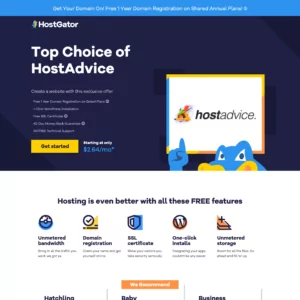
HostGator provides web hosting and server solutions that developers can use to build and run AI-powered applications. For open-source AI agents, its suitability depends on the hosting plan selected. Shared hosting is generally better suited to websites and lighter applications, while VPS and dedicated server environments can provide greater control for installing dependencies, running background processes, and managing agent frameworks. With suitable resources and configuration, HostGator can support AI-powered websites, chat interfaces, and business automation tools.
Rating Overview
- Overall Score: 4.5
- Features: 4.5
- Reliability: 4.6
- User-Friendly: 4.7
- Support: 4.6
- Pricing: 4.5
Detailed Analysis
Performance: HostGator offers hosting options for different project sizes, including VPS and dedicated servers. Compatible environments can accommodate custom applications and integrations with open-source AI frameworks. Before choosing a plan, developers should verify operating system compatibility, root access, memory limits, and support for persistent background processes.
Support: HostGator provides customer support for its hosting products and infrastructure. This can help users address hosting configuration issues and routine technical concerns. Troubleshooting custom agent code or framework-specific problems may require consulting the relevant project’s documentation or obtaining developer assistance.
Security: Protecting an AI agent requires appropriate server configuration, secure credentials, and regular software updates. Developers should use access controls, firewall rules, and reliable backups to help safeguard applications and their data. Agents connected to external APIs should also have carefully managed permissions to reduce security risks.
Pricing: HostGator offers different hosting tiers, allowing users to select resources according to their application requirements. Shared hosting may be sufficient for a lightweight AI-enabled website, while more demanding agents may require a VPS or dedicated server. Budgeting should also account for storage, backups, upgrades, and external AI model API charges.
Ease of Use: HostGator’s management tools help users manage websites, domains, and server settings. Beginners may find routine hosting administration approachable, but deploying open-source agents can involve installing dependencies and configuring software manually. Users running complex workflows should be comfortable with command-line tools or have access to technical assistance.
Pros and Cons
- Multiple hosting options for different workloads.
- Suitable for AI-powered websites and applications.
- Management tools simplify routine hosting administration.
- Compatible plans can accommodate custom software.
- VPS and dedicated options offer greater configuration control.
- Shared hosting may restrict persistent agent execution.
- Advanced deployments require technical setup and maintenance.
- External AI services can increase operating costs.
-
Best VPS Hosting 2026
-
Top 5 Europe Web Hosting 2026
-
Top 5 Australia Web Hosting 2026
-
Top 10 Best Gaming Hosting Provider 2026
-
Top 10 Reseller Hosting 2026

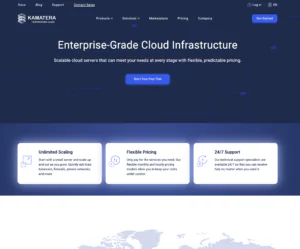
Kamatera provides configurable cloud infrastructure for developers who want to run open-source AI agents, automation frameworks, and supporting services. Its flexible server configurations allow users to select CPU, memory, and storage resources according to their workloads. Developers can deploy LangChain-based applications, AutoGPT-style agents, and other compatible tools based on their technical requirements. Rather than offering a single fixed agent platform, Kamatera provides the infrastructure to build and scale deployments around preferred open-source software.
Rating Overview
- Overall Score: 4.9
- Features: 5.0
- Reliability: 4.9
- User-Friendly: 4.7
- Support: 4.9
- Pricing: 4.8
Detailed Analysis
Performance: Kamatera offers customizable cloud servers with adjustable computing resources, storage, and networking options. Developers can install their preferred operating system, agent framework, databases, and monitoring tools. This flexibility supports multi-agent applications and distributed architectures, provided the selected resources match the workload.
Support: Kamatera provides 24/7 technical support for infrastructure-related questions. This can help developers address server configuration and cloud environment issues. However, users remain responsible for troubleshooting their selected open-source frameworks and custom agent code unless separate development assistance is arranged.
Security: Users can configure server permissions, firewalls, software updates, and access controls to protect their deployments. Regular backups, monitoring, and secure API credential management are essential for applications that process sensitive information. Teams should also establish recovery procedures and limit each agent’s access to the resources it needs.
Pricing: Kamatera’s flexible pricing model allows users to choose infrastructure resources according to their workloads. Costs depend on server specifications, operating time, storage, and additional services. External AI model APIs and other integrations may incur separate charges, so businesses should monitor usage as their deployments expand.
Ease of Use: Kamatera provides a control panel for configuring and managing cloud servers. Experienced developers can use its flexibility to tailor environments to specific frameworks and application architectures. Beginners may need time to learn server administration, software installation, and ongoing maintenance.
Pros and Cons
- Offers flexible CPU, memory, and storage configurations.
- Allows resources to scale as workloads grow.
- Supports custom open-source software stacks.
- Suitable for multi-agent and distributed deployments.
- Provides 24/7 infrastructure-related technical support.
- Requires server administration and configuration skills.
- External AI model usage can increase operating costs.
- Users must manage their agent software and application reliability.
-
Top 5 Germany Web Hosting 2026
-
Top 10 VPS Hosting 2026
-
Top 10 Cloud Hosting 2026
-
Top 10 Dedicated Hosting 2026
-
Excellent Service 2026

Contabo is a hosting provider known for offering virtual private servers and dedicated servers at competitive prices. For open-source AI agents, it provides an infrastructure option for developers who need persistent computing resources without committing to expensive premium cloud services. Users can install compatible agent frameworks, automation software, databases, and supporting applications on their own servers. Contabo is particularly suitable for technically confident users who understand their resource requirements and are comfortable managing their software environments.
Rating Overview
- Overall Score: 4.7
- Features: 4.8
- Reliability: 4.6
- User-Friendly: 4.4
- Support: 4.5
- Pricing: 4.9
Detailed Analysis
Performance: Contabo offers VPS and dedicated server configurations with varying amounts of CPU, RAM, and storage. These resources can support open-source agents, scheduled tasks, databases, and self-hosted automation platforms. Developers should check available operating systems and server specifications carefully before deploying memory-intensive workloads or running multiple agents simultaneously.
Support: Contabo provides support for its hosting services and infrastructure. This can help users address server-related questions and hosting configuration issues. Assistance with third-party AI frameworks or custom agent code may be limited, so developers should be prepared to troubleshoot applications using project documentation and community resources.
Security: Self-hosting gives developers control over operating system updates, application permissions, firewall settings, and access management. Regular backups, secure API credential storage, and continuous monitoring are important for protecting agent deployments. Users should also establish recovery procedures to reduce disruption when software or external services fail.
Pricing: Competitive server pricing is one of Contabo’s main attractions for budget-conscious developers. VPS and dedicated server options allow users to choose infrastructure according to their workloads and available budgets. Additional costs may include backup services, storage expansion, and external AI model API usage.
Ease of Use: Server provisioning provides a foundation for deploying open-source AI agents, but users generally need to install dependencies, configure applications, and secure their environments. Developers with command-line experience can benefit from this flexibility. Beginners may require tutorials or technical assistance to establish and maintain a reliable deployment.
Pros and Cons
- Competitive pricing for server resources.
- Supports custom open-source AI agent deployments.
- Offers VPS and dedicated server options.
- Suitable for persistent automation workloads.
- Provides control over software configuration.
- Requires technical configuration and ongoing maintenance.
- Performance depends on the selected server specifications.
- External AI services may increase operating costs.
-
Best Dedicated Hosting Provider 2026
-
Best Windows Hosting Provider 2026
-
Top 5 France Web Hosting 2026
-
Top 10 Website Builder 2026
-
Top 10 Web Hosting 2026

Ultahost offers VPS and dedicated server hosting that developers can use to deploy open-source AI agents, custom automation tools, and AI-powered applications. Its range of server options makes it relevant to businesses that want to run self-hosted agent frameworks with resources suited to their workloads. Depending on the selected plan, users can configure their software environment and manage their deployments with varying levels of administrative support. However, managed infrastructure does not necessarily include maintenance or troubleshooting for the AI application itself, so service coverage should be confirmed before deployment.
Rating Overview
- Overall Score: 4.6
- Features: 4.7
- Reliability: 4.7
- User-Friendly: 4.6
- Support: 4.7
- Pricing: 4.5
Detailed Analysis
Performance: Ultahost’s server offerings provide a foundation for installing compatible AI agent frameworks, Python applications, databases, and automation tools. Available performance depends on the selected hosting plan and its CPU, memory, and storage allocation. Developers should verify resource limits and operating system compatibility before deploying agents that run several tasks simultaneously.
Support: Ultahost provides customer assistance for its hosting services, helping users address infrastructure and server management questions. The scope of assistance may vary depending on the selected plan and management arrangement. Troubleshooting specialized open-source frameworks or custom agent code may require independent developer expertise or community documentation.
Security: Developers can configure access permissions, software updates, firewall rules, and API credentials to protect their deployments. Regular backups and monitoring help safeguard data and reduce downtime. Users should confirm which security and maintenance tasks are handled by the provider and which remain their responsibility.
Pricing: Ultahost offers several hosting configurations for different budgets and workloads. Overall expenses depend on server resources, management services, storage, and any additional infrastructure requirements. External AI model usage and paid integrations may also add to ongoing costs, particularly as agent activity increases.
Ease of Use: Hosting management tools can simplify routine server administration and help users manage their environments. Deploying custom agents still involves configuring dependencies, permissions, API credentials, and external integrations. Developers with limited server experience may benefit from a managed plan, provided its included services match their needs.
Pros and Cons
- Offers multiple server options for AI applications.
- Supports custom software installations on compatible plans.
- Can accommodate persistent agent processes.
- Provides hosting assistance for infrastructure-related issues.
- Offers configurations for different workloads and budgets.
- Advanced deployments require technical knowledge.
- Managed services may not include agent-level troubleshooting.
- External model usage can increase operating costs.
-
Top 25 Offshore Hosting 2026

Hosting.com provides web hosting and server solutions for websites, applications, and online projects. Developers exploring open-source AI agents can consider its VPS or dedicated server options when they need an environment for custom software. Compatible servers may support agent frameworks, API-connected applications, and supporting databases, depending on the selected plan and its technical restrictions. Hosting.com is best viewed as an infrastructure provider rather than a dedicated AI agent platform, making server control and resource availability important factors when choosing a solution.
Rating Overview
- Overall Score: 4.5
- Features: 4.6
- Reliability: 4.6
- User-Friendly: 4.6
- Support: 4.5
- Pricing: 4.4
Detailed Analysis
Performance: Hosting.com offers hosting solutions for different types of online applications. A compatible VPS or dedicated server can provide the environment needed to install open-source agent software, connect external APIs, and manage application data. Users should verify CPU, memory, operating system options, root access, and support for long-running processes before deployment.
Support: Hosting.com provides customer support for its hosting services and infrastructure. This can be useful when addressing server configuration problems or deployment-related hosting issues. However, troubleshooting individual open-source frameworks and custom agent code may require separate technical resources or assistance from the relevant developer community.
Security: Developers should configure appropriate access controls, install software updates, and protect API credentials when deploying custom AI agents. Regular backups, firewall rules, and application monitoring help reduce security risks and support recovery after failures. Businesses handling sensitive information should also review how their applications store and process data.
Pricing: Hosting costs depend on the selected package, available resources, and management features. Developers should compare CPU capacity, memory, storage, and administration options before committing to a plan. External AI model usage, paid integrations, and additional backup services may increase the total operating cost.
Ease of Use: Hosting management tools can help users handle routine server configuration and application administration. However, installing a custom agent may require command-line experience, dependency management, and familiarity with server security. Developers with limited experience should assess whether the available management services provide enough assistance for their deployment.
Pros and Cons
- Offers hosting options for custom applications.
- Compatible servers may support open-source AI frameworks.
- Suitable for AI-powered websites and web applications.
- Allows resource selection based on project requirements.
- Provides infrastructure for API-connected applications.
- AI agent deployment may require manual configuration.
- Plan compatibility and software restrictions need verification.
- External AI services can add ongoing expenses.
Why Trust Our Recommendations
At HostAdvice, we aim to help readers make informed decisions by examining the features, usability, costs, and practical applications of AI tools and hosting services. Our recommendations consider how well each solution fits its intended use, including deployment flexibility, technical requirements, available support, and potential limitations. We also consider the importance of transparency, security, and long-term maintenance when evaluating open-source AI agents. This approach helps readers compare their options and select software or infrastructure that matches their needs and experience level.
How Do We Test and Rank
At HostAdvice, we research AI agent platforms, open-source frameworks, and hosting solutions to understand their capabilities and differences. Our evaluation considers available features, compatibility, documentation, ease of setup, pricing, and the resources needed to operate each solution.
We also examine practical factors such as integration options, customization, security controls, and suitability for different workloads. Where hands-on testing or measurable performance data is available, these findings can help distinguish advertised capabilities from actual results.
Our ranking process considers both strengths and limitations. A framework with many features may not be the right fit for a beginner, while a simple tool may lack the flexibility required by a development team. We aim to present these differences clearly so readers can compare options based on their own requirements.
Best Open Source AI Agents: Final Recommendations
Open-source AI agents give individuals and businesses the freedom to customize AI-powered workflows, connect different tools, and automate tasks with greater control over their software environment. The right choice depends on the intended use case, model compatibility, technical experience, and available computing resources. Some solutions focus on building applications, while others concentrate on agent orchestration or infrastructure for running agents continuously. Before committing to a platform, check its licensing, security practices, maintenance requirements, and total operating costs. With the right framework and careful testing, open-source AI agents can help reduce repetitive work and support more complex automation projects.