No matter how smart or motivated your team is, projects can quickly spiral; missed deadlines, scattered files, and miscommunication are all too common. That’s where management tools come in. These platforms help you organize work, assign tasks, and track progress without chasing updates or digging through email chains.
In this guide, we’ll break down the most popular project management tools and how to choose the right one for your team.
A professional website is the perfect way to share project updates, collaborate with remote teams, and manage client work. Explore the best website builders to create a site that aligns with your project goals.
Best Website Builders for Teams to Manage & Promote Their Work
Management tools help teams stay organized and reduce chaos.
The best tools are easy to use, flexible, and built for collaboration.
Look for features such as task creation, Gantt charts, and automation.
Some tools are better for simple tasks, others for complex workflows.
Many platforms offer free plans so you can test before committing.
Success depends on setup, training, and the tool’s implementation.
Choose a platform that fits your team size, workflow, and budget.
Track results and adjust your setup as your needs evolve.
What Are Management Tools? Why Do They Matter?
Management tools are digital platforms that help teams organize, coordinate, and monitor work across tasks, timelines, and team members. They come in several forms—project management tools for overseeing full initiatives, task management tools for handling day-to-day to-dos, and collaboration tools that keep communication centralized.
Each type plays a different role in your workflow. A project management tool typically offers a dashboard where you can create projects, assign tasks, and track progress. Task management tools help teams break work into manageable steps, while collaboration tools make it easier to share files, message in context, and stay aligned.
Modern platforms often combine all of these functions into one system, giving teams everything they need to work efficiently in one place.
The Benefits of Using a Project Management Tool
A good project management tool helps your team stay focused, aligned, and productive. Here’s how it makes a difference:
Keeps remote teams connected with shared views and live updates
Reduces tool overload by combining tasks, files, and messages in one place
Gives project leads real-time visibility into progress and bottlenecks
Helps teams plan smarter with timelines, dependencies, and roadmaps
Makes task assignment and follow-through easier for everyone involved
Balances workloads by showing who’s available and who’s at capacity
Supports better decision-making with project data and performance insights
Saves time by automating repetitive steps and status updates
Comparing the Best Project Management Tools
With so many options out there, choosing the right project management software can feel overwhelming. To help you narrow it down, we’ve compared some of the most popular platforms based on usability, features, pricing, and who they’re best for.
Best Overall Project Management Software
If you’re looking for all-in-one functionality with a balance of power and ease of use, these platforms stand out as some of the best project management software available right now.
1. Microsoft Project (Microsoft Planner)
A long-standing favorite for enterprise teams, Microsoft Project is a powerful project management tool designed for detailed planning and complex timelines. It offers robust features like Gantt charts, task dependencies, and deep integration with Microsoft Teams and Office 365 tools.
It’s especially well-suited for large organizations managing multiple stakeholders and intricate project workflows. However, it has a steeper learning curve than some newer tools.
Best for: Enterprise teams and advanced planners
Pricing: Starts at $10 user/month (cloud-based), billed annually
2. Zoho Projects
Zoho Projects offers a comprehensive, user-friendly platform with a strong focus on customization and automation. It includes project planning, task management, resource allocation, and time tracking, along with integrations across the broader Zoho ecosystem.
It’s a great pick for teams that want flexibility without sacrificing structure. You also get access to dashboards, reporting, and strong collaboration tools.
Best for: Growing teams and agencies
Pricing: Free for up to 3 users; paid plans from $5 user/month billed annually
3.
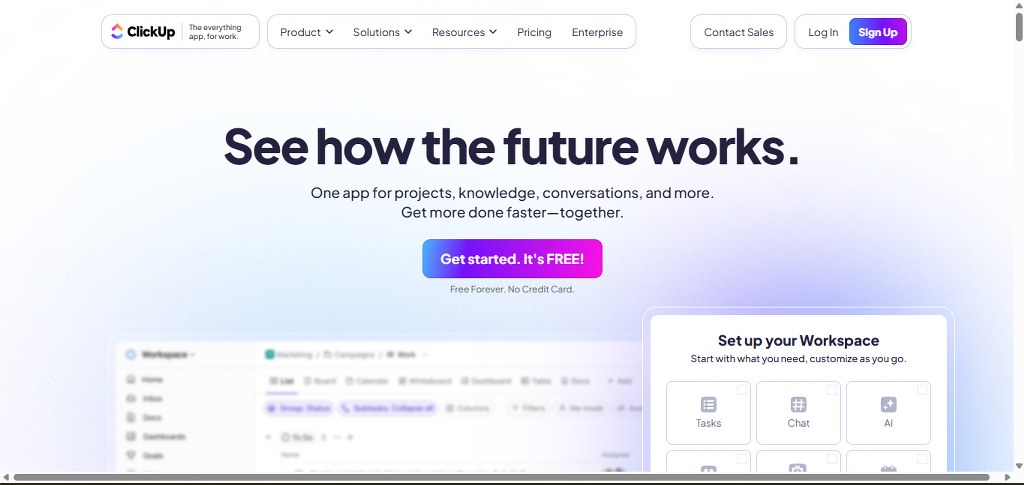
ClickUp combines task management, project tracking, docs, chat, goals, and time tracking all in one. Its deep customization makes it ideal for teams that want control over how their workspace looks and functions.
It includes everything from task creation and capacity planning to workflow automation, but it can feel overwhelming at first due to its breadth.
Best for: Teams that want total control and customization
Pricing: Free forever plan available; paid plans from $7 user/month billed annually
4. Hostinger (via integrations with managed tools)
While Hostinger isn’t a project management software itself, it provides reliable infrastructure for tools like WordPress and other app integrations. This is especially useful if your team uses self-hosted tools like WP Project Manager or collaborates through a website.
Reliable hosting improves speed, security, and uptime for your management systems—making Hostinger a smart backend choice for teams that want more control over their tools.
Best for: Teams using self-hosted or WordPress-based project tools
Pricing: Hosting plans from $2.99/month billed annually
monday.com is widely known for its visual, color-coded boards and intuitive layout. It supports everything from simple task lists to full project roadmaps, with features like real time project insights, assign tasks, and time tracking built in.
It’s an especially strong pick for marketing teams, creative agencies, and cross-functional departments who need a clean, collaborative space.
Best for: Visual thinkers and collaborative teams
Pricing: Free for up to 2 users; paid plans from $9 user/month billed annually
Best for Simplicity and Ease of Use
Not every team needs complex dashboards or endless customization options. Sometimes, the best tool is the one that’s easiest to pick up and actually use. If you’re looking for simple project management software that helps your team manage tasks without a steep learning curve, these platforms are worth a look.
1. Trello
Trello uses a visual card-and-board system that makes task creation and organization incredibly intuitive. It’s especially good for teams who want to track project stages without the complexity of Gantt charts or spreadsheets.
You can add task dependencies, labels, due dates, checklists, and attachments, all within individual cards. Trello also supports workflow automation through its Butler tool, helping teams stay efficient with minimal setup.
Best for: Small teams, freelancers, and beginners
Pricing: Free plan available; paid plans from $5 user/month billed annually
2. Asana (Basic Plan)
While Asana offers advanced features in its premium tiers, its free version is one of the best options for teams who want something straightforward. With a clean interface, built-in templates, and flexible task views (list, board, calendar), Asana makes it easy to track project progress without feeling overwhelmed.
You can assign tasks, add dependencies, and switch between different views depending on your workflow—perfect for lightweight projects and fast-moving teams.
Best for: Teams that want clarity without complexity
Pricing: Free for up to 15 users; paid plans from $10.99 user/month billed annually
3. Notion
Notion blends documents, wikis, and task management in one interface. While not a traditional project management tool, many teams use it for simple planning and collaboration. You can create custom project pages, add timelines, and even build your own project roadmaps with pre-made templates.
Its drag-and-drop blocks make it feel less like software and more like a digital workspace that adapts to how your team thinks.
Best for: Teams that want flexible, document-driven planning
Pricing: Free for personal use; paid team plans from $8 user/month billed annually
4. Basecamp
Basecamp takes a minimalist approach to project management, offering to-do lists, message boards, file sharing, and scheduling tools—all in one dashboard. It’s intentionally stripped down to help teams focus on communication and progress without unnecessary extras.
There aren’t Gantt charts or advanced automation tools, but that’s the appeal: everything you need, nothing you don’t.
Best for: Teams that value simplicity and communication
Pricing: $15 user/month, or $299/month flat for unlimited users
If your goal is to get started quickly with a clean, accessible interface, these simple project management software platforms let you stay organized without the overwhelm.
Sell Custom Print Products with Printful
Turn your custom designs into physical products with Printful's print-on-demand service. Creators earn $300-$2,500 monthly with no inventory costs or upfront investment required.
When your team is spread across locations—or even time zones—strong communication becomes just as important as task management. These project management tools stand out for their ability to support team collaboration, keep multiple stakeholders aligned, and deliver real time project insights to everyone involved.
1. Wrike
Wrike is built for teams that need visibility and coordination at scale. It offers live activity streams, shared dashboards, and built-in document editing, so everyone can see updates as they happen. Teams can collaborate on tasks, leave comments, and make changes without switching platforms.
For teams managing multiple projects, Wrike also supports time tracking, task dependencies, and resource views—all while giving managers real-time status reports.
Best for: Mid-size to enterprise teams working across departments
Pricing: Free for small teams; paid plans from $9.80 user/month billed annually
2. Teamwork
Teamwork focuses on client services and agency work, where multiple contributors and clientsneed access to different parts of a project. You can create granular permissions for multiple stakeholders, collaborate on files and comments, and track updates as they happen.
It also includes financial management features like time billing and budgeting, making it useful for teams that need to manage both communication and costs.
Best for: Agencies and service-based teams with external collaborators
Pricing: Free for up to 5 users; paid plans from $5.99 user/month billed annually
3. ClickUp
Already mentioned in the best overall category, ClickUp deserves a second shoutout here for its collaboration features. It includes assigned comments, chat, screen recordings, and real-time editing. With live dashboards, your team gets full visibility into progress without needing to dig.
You can also bring in clients or other departments with limited access, keeping communication flowing across teams.
Best for: Cross-functional and fast-moving teams
Pricing: Free forever plan available; paid plans from $7 user/month billed annually
4. Airtable
Airtable is a mix between a spreadsheet and a database, and while it’s not a traditional project management tool, its collaboration features are excellent. Teams can co-edit records, leave comments, and customize how they view data. It’s ideal for marketing, content, and creative teams who want both structure and flexibility.
It also supports real time project insights with visual dashboards and integrations with Slack, email, and more.
Best for: Creative teams and marketing departments
Pricing: Free plan available; paid plans from $10 user/month billed annually
Whether you’re managing a distributed team or working with external partners, these tools help you stay connected and move projects forward—even when no one’s in the same room.
Best Free Project Management Tools
If you’re just getting started—or working with a tight budget—you don’t have to sacrifice quality. There are several excellent free project management tools that offer robust functionality without the price tag. Whether you’re managing a small team, solo projects, or testing tools before upgrading, these platforms give you plenty of room to grow.
1. Trello (Free Plan)
Trello’s free plan is one of the most user-friendly options on the market. With its visual board-and-card system, it’s perfect for organizing projects in a way that feels intuitive. You can use task management features like checklists, labels, due dates, and attachments without paying a dime.
There are also limited workflow automation options through Trello’s Butler tool, which helps streamline repetitive actions.
Best for: Individuals and small teams who want visual task tracking
Free plan includes: Unlimited cards and users, up to 10 boards per workspace
2. Asana (Basic Plan)
Asana’s free version gives you access to powerful task management and project tracking features. You can create tasks, set priorities, assign teammates, and view your work in list or board format. It also includes basic reporting and integrations with tools like Slack and Google Drive.
Even without advanced features like timelines or custom fields, it’s one of the best free project management software options for growing teams.
Best for: Teams up to 15 people who want structured task management
Free plan includes: Unlimited projects, messages, and file storage
3. ClickUp (Free Forever Plan)
ClickUp’s free project management tool plan is remarkably generous. You get access to task tracking, docs, goals, whiteboards, time tracking, and integrations. It’s more than enough for a team to get started managing project tasks, especially if you’re willing to explore its many customization options.
While there’s a learning curve, the free version includes more project management features than most tools offer without charge.
Best for: Teams that want robust features without the cost
Free plan includes: Unlimited users, tasks, and projects
4. Notion (Free Plan)
Notion may not be a full-fledged project management solution, but its free tier is perfect for small teams that want flexible, document-first planning. You can build out pages for projects, embed calendars or Kanban boards, and manage simple workflows all in one place.
Its pre-made templates make setup fast and easy—even if you’re new to planning tools.
Best for: Creative teams or freelancers looking for flexibility
Free plan includes: Unlimited pages, blocks, and guests
5. Bitrix24 (Free Plan)
Bitrix24’s free plan includes task management, time tracking, file sharing, chat, and CRM tools—making it one of the most fully loaded free project management tools out there. While the interface can feel crowded, it’s an excellent option if you want everything in one place.
Best for: Businesses needing an all-in-one workspace
Free plan includes: Up to 5 GB of storage and 12 users
Whether you need to manage tasks, collaborate with your team, or simply organize your work, these free project management software platforms offer plenty of value—no subscription required.
Tool
Pricing
Best For
Task Management
Gantt Charts
Collaboration
Resource Management
Free Plan
Airtable
Free plan; from $10/user (billed annually)
Creative and marketing teams
✔
✘
✔
✘
✔
Asana
Free for 15 users; from $10.99/user (billed annually)
Free for 5 users; from $5.99/user (billed annually)
Agencies, client services
✔
✔
✔
✔
✔
Trello
Free plan; from $5/user (billed annually)
Simple task tracking
✔
✘
✔
✘
✔
Wrike
Free plan; from $9.80/user (billed annually)
Cross-department, enterprise teams
✔
✔
✔
✔
✔
Zoho Projects
Free for 3 users; from $5/user (billed annually)
Agencies, growing teams
✔
✔
✔
✔
✔
Implementing Project Management Software in Your Team
Choosing a project management solution is only the beginning. To get real value from it, you also need a rollout plan that fits your team’s needs and workflows.
Common Pitfalls When Introducing New Tools
Adding new project management software to your workflow can backfire if it’s not introduced carefully. One of the most common issues is skipping proper training. Even simple tools come with new interfaces and features—and if your team doesn’t know how to use them, confusion will follow.
Another pitfall is overwhelming users with too many features right away. Tools often include dashboards, chat, time tracking, automations, and more. If everything is turned on at once, your team might feel buried in options rather than supported.
Poor integration can also cause friction. When your new tool doesn’t connect easily with your calendar, file sharing platform, or messaging apps, it adds extra steps instead of streamlining the process.
And finally, many teams don’t take the time to customize their tool before launch. Setting up templates, naming workflows, and customizing task stages to match your real process helps your team get comfortable with the tool faster.
As you centralize work in Google Workspace (Drive, Gmail, Calendar) alongside your PM platform, protect project files and communications with automated, immutable backups and granular restores via Acronis backup workspace, ensuring fast, point-in-time recovery from accidental deletions, sync conflicts, or ransomware.
Steps to Roll Out New Tools
Once you’ve chosen the right project management solution, the next step is rolling it out in a way that encourages adoption—not resistance. A thoughtful launch can make the difference between a tool that sits unused and one that becomes essentialto managing projects every day.
Start small. Choose one team or department to test the tool first. This gives you a chance to work out any kinks, gather feedback, and make adjustments before scaling up. When you’re implementing project management software across an entire organization, this staged approach reduces disruption and builds internal champions.
Set clear expectations. Before launch, explain why the new tool is being introduced and how it will help the team. Let people know what processes will change and what the benefits are—like fewer missed tasks, easier collaboration, and better visibility into workloads.
Customize it before rollout. Build out templates, workflows, and boards that reflect how your team already works. The closer the tool mirrors your current structure, the faster your team will get comfortable using it.
Offer hands-on training. Even if the platform is easy to use, don’t assume everyone will pick it up right away. Walk through core features like task creation, project boards, and tracking dashboards. Offer simple how-to guides and live Q&As if needed.
Make feedback part of the process. During the first few weeks, check in regularly to ask what’s working and what’s not. This helps you make improvements and shows your team that their input matters—building trust and long-term buy-in.
When you approach implementing project management software as a team-centered process rather than just a tech upgrade, adoption becomes much smoother. The right setup makes it easier for your team to focus on managing projects instead of managing the tool.
Getting Buy-In from Project Managers and Stakeholders
Even the most feature-packed project management software won’t get far without support from the people who lead and influence your projects. Gaining buy-in from project managers and multiple stakeholders early on helps ensure a smoother rollout and long-term success.
One smart move is to involve key team leads in tool selection. Ask them which features matter most in their day-to-day work—whether it’s better visibility, simplified resource allocation, or easier ways to track project progress. When people feel heard, they’re more likely to support change.
It also helps to start with a test case that sets the tool up for success. Choose a team or workflow where pain points are already well known, and the benefitsof switching will be clearly visible. Picking the best project for rollout means choosing one with enough complexity to showcase value—but not so complex that it overwhelms your pilot team.
As you begin using the tool, share results. Use built-in dashboards or exported project data to highlight wins: shorter timelines, fewer missed tasks, or better collaboration. Visualizing project progress in real time can quickly show skeptical stakeholders that the platform delivers on its promises.
When leaders see how the tool helps people work smarter—not just adds another layer—they’re much more likely to support broader adoption.
Tools such as ProductPlan help demonstrate this value by giving teams a clear view of priorities, timelines, and strategic objectives, making it easier for stakeholders to stay aligned.
Use Cases: How Different Teams Use Management Tools
Different teams have different priorities, so the way you use a project management tool will depend on your industry, workflow, and goals. Here’s how a few common team types use management tools to stay organized, hit deadlines, and get more done.
Agencies and Freelancers
Agencies and freelancersoften juggle multiple clients, deadlines, and deliverables all at once. For them, the right project management software is not only helpful—it’s essential.
These users rely heavily on tools that can track projects across different clients and organize them into a clear project portfolio. Dashboards and timelines help visualize work in progress, while time tracking tools assist with billing and managing project costs.
Freelancers, in particular, benefit from tools that include simple project management software with features like due dates, file sharing, and easy-to-navigate task lists. For agencies, more advanced features like client permissions, automated updates, and custom workflows make it easier to scale while keeping everyone in the loop.
Developers and Product Teams
Development and product teams use project management tools to manage sprints, product releases, and backlogs in highly structured ways. These teams often prioritize tools that integrate with platforms like GitHub, Jira, and Microsoft Teams, allowing them to collaborate seamlessly across environments.
They also need strong support for tracking project tasks, especially when managing code-related items, bug fixes, or feature requests. Visual boards, timelines, and Gantt charts help break down development cycles into manageable pieces, while comments and mentions keep technical conversations tied to specific tasks.
Tools that support project workflows with defined stages—like “Backlog,” “In Progress,” “Review,” and “Done”—are a big plus. Many development teams also use automation to move tasks forward when criteria are met, or to alert team members when an issue needs review.
In this context, the ideal project management platform supports both precision and flexibility—helping dev teams build and ship efficiently.
Marketing and Creative Teams
Marketing and creative teams thrive on clear deadlines, visual assets, and lots of moving parts. These teams often use task management software to plan campaigns, coordinate content calendars, and streamline creative reviews.
Tools that offer collaboration features—like file sharing, threaded comments, and visual previews—are especially valuable for design and content teams. Having a centralized place to brainstorm, assign tasks, and collect feedback reduces back-and-forth and speeds up delivery.
Pre-built or pre made templates can also be a game changer. Whether it’s a campaign launch checklist or a content workflow, templates save time and ensure consistency across projects.
Because creative teams often work with both internal staff and outside partners, the ability to invite external collaborators with limited access is also key. This makes it easier to manage assets, track approvals, and maintain version control without losing visibility.
With the right task management tool, marketing teams can turn big-picture ideas into detailed execution plans—and keep everything moving without micromanagement.
Offer Your Freelance Services on Fiverr
Monetize your freelance skills on Fiverr and connect with clients worldwide. Freelancers earn $500-$3,000 monthly offering specialized services with flexible hours and secure payments.
How to Choose the Best Project Management Platform for You
There’s no one-size-fits-all solution when it comes to project management software. The best choice depends on your team’s size, goals, and how you actually work day to day. Here’s how to narrow down your options.
Step 1: Start with Your Workflow and Team Size
Before exploring features or pricing, take a close look at how your team works. Are you managing a few simple tasks each week—or juggling large, multi-stage projects with dozens of contributors? Understanding your structure will guide you toward the right project management solution.
Start by mapping out your project workflows. Do your projects move through defined stages like “To Do,” “In Progress,” and “Review”? If so, look for a tool that supports customizable boards or pipeline views. If your workflow is more linear and deadline-focused, you may want Gantt chart support or timeline views that allow for precise scheduling.
Next, consider how your team handles task dependencies. If one task needs to be completed before another can begin, you’ll need a platform that supports linking and visualizing those connections. Without this, it’s hard to catch bottlenecks before they happen.
Team size is another key factor. Smaller teams may prefer simple project management software with minimal setup, while larger groups often benefit from more robust tools that support multiple projects, advanced permissions, and integrations with other systems.
Step 2: Evaluate Features Based on Your Needs
Once you understand how your team operates, start identifying the project management features that actually support that workflow. A long feature list might sound impressive, but it’s not helpful if half of it goes unused.
Break your needs into two categories: essential features and advanced features.
Essential features might include:
Task creation and assignment
Shared calendars and deadlines
Real-time updates or notifications
Simple file sharing and comments
Basic reporting or dashboards to track project progress
Advanced features might include:
Workflow automation to reduce manual steps
Custom fields or dashboards
Built-in time tracking and budgeting
Complex task management features like dependencies, recurring tasks, or multiple assignees
Collaboration tools for cross-functional or remote teams
If you’re new to project management platforms, choose a tool that’s easy to navigate and can grow with your team. Look for solutions that let you start with the basics and add more functionality as needed.
Also, keep in mind any integrations you rely on—like Slack, Microsoft Teams, Google Workspace, or CRM systems. Choosing a tool that fits into your existing environment will save time and reduce friction.
Step 3: Think About Scaling and Budget
Your project management software should work for you today—and still fit your needs six months or a year from now. That’s where scalability and pricing come in.
If you expect your team or workload to grow, make sure the tool can handle multiple projects and support a growing project portfolio. You’ll also want to evaluate its financial management capabilities. Some tools offer built-in time tracking, cost estimates, or billingfeatures—especially helpful if you manage client work or internal budgets.
Pricing structures can vary widely. Many tools charge per user per month, but most offer discounts if you choose a month billed annually plan. Some platforms also have free tiers, which are great for testing before committing. But if you need more advanced capabilities—like resource allocation, detailed reports, or automation—paid plans are usually worth the investment.
As you evaluate your budget, don’t just consider software costs. Think about the time saved from better workflows, fewer errors, and clearer communication. Often, the right tool pays for itself quickly by helping you deliver work faster and with less stress.
Managing Projects Over Time: Tips and Best Practices
Once your team is up and running with a new project management platform, the next challenge is maintaining momentum. Long-term success requires more than just a good setup—it’s about consistently evaluating what’s working and making smart adjustments over time.
Tracking and Reporting on Project Performance
The ability to track project performance is one of the most valuable features of any project management tool. Whether you’re leading a small team or managing a large portfolio, clear visibility into how projects are progressing helps you stay in control.
Most tools offer project tracking dashboards that give you real-time updates on task completion, overdue items, and upcoming deadlines. These visualizations allow project leads to spot bottlenecks early and take corrective action before problems escalate.
Detailed project data also plays a key role in long-term reporting. By reviewing metrics like time spent, task completion rates, and missed deadlines, you can identify patterns—both good and bad—and use that information to guide future planning.
If your software includes built-in reports or custom analytics, take advantage of them. They offer more than just accountability—they help you make better decisions, improve forecasting, and demonstrate impact to stakeholders.
Improving Resource Allocation and Team Collaboration
Sustained success often comes down to how well you use your people and how smoothly they work together. That’s where strong resource management features and team collaboration tools really make a difference.
Look for tools that help you visualize workloads and optimize resource allocation. When you can see who’s overbooked and who has bandwidth, it becomes much easier to balance tasks across the team. This not only helps with productivity; it also reduces burnout and boosts morale.
For remote teams, collaboration features are essential. Chat threads, file sharing, comment tagging, and real-time updates allow your team to stay connected, no matter where they’re working from. And because everything is centralized, there’s no need to chase updates across email or messaging apps.
Reviewing how your team collaborates can also reveal inefficiencies. If tasks frequently get stuck waiting on feedback or clarification, that’s a signal to tighten your communication workflows or add automation to keep things moving.
Adapting for Long-Term Success
Your first setup won’t be perfect—and that’s okay. What matters is your willingness to improve it. The best teams regularly revisit how they’re using their project management software and make updates based on what the data shows.
Start by reviewing your project management tasks and workflows every few months. Are you still using all the features? Have your team’s needs changed? Are certain tasks or stages creating unnecessary delays?
Metrics from your project tracking tools can highlight where adjustments are needed. For example, if tasks consistently get delayed during handoffs, you might need to rethink how you assign responsibilities or use task dependencies more effectively.
Many tools also offer feedback forms or surveys, which you can use to gather input from team members. Their insights can help you identify pain points and fine-tune the platform to better support their work.
Conclusion
The right project management platform brings clarity to your workday. It helps you keep tasks on track, teams aligned, and timelines under control. But to get real value, the tool has to fit how your team already works—not force you to change everything.
Start by matching core features to your workflow. Prioritize ease of use, smart resource allocation, and reporting tools that give you real visibility into progress. Stick with a plan that fits your budget now and scales with you later.
When the software works for your team—not the other way around—you’ll spend less time chasing updates and more time getting meaningful work done.
Every project thrives when it has a fast, reliable, and secure site to back it up. Explore the best web hosting services to keep your team’s tools, portals, and dashboards online at all times.
The most effective tools offer key features like task assignment, timelines, collaboration options, and real-time tracking. A good platform should support your workflow without adding unnecessary complexity.
How is project planning software different from task management tools?
Project planning software focuses on the big picture—timelines, milestones, dependencies—while task tools are more about the day-to-day. Ideally, your project management platform should handle both.
Can I manage all my projects in one place?
Yes, many popular project management software platforms let you manage all your projects in a single dashboard. This helps you switch between tasks, teams, or clients without losing visibility.
Are there other project management tools besides Trello and Asana?
Absolutely—there are many other project management tools like ClickUp, monday.com, Wrike, and Zoho Projects, each with its own strengths depending on your team size and goals.
What if I need software that offers more than basic task tracking?
Look for a tool that offers project management features like Gantt charts, resource allocation, reporting, and automation. These extras help teams work smarter and scale faster.
How do I choose between different project management tools?
Start by comparing key features, then consider usability, pricing, and integration with your current tools. A trial period is a great way to see what fits.
Is it worth trying other project management software if I’m already using one?
If your current setup feels limiting, exploring other project management software might reveal better options for collaboration, tracking, or planning. Switching can lead to clearer workflows and improved results.
What are the best project management tools for remote teams?
Remote teams benefit most from project management tools that include strong communication and collaboration features. Platforms like ClickUp, Asana, monday.com, and Wrike offer real-time updates, shared dashboards, file sharing, and chat integration—making it easy to stay connected across time zones. Look for task management features that keep everyone aligned, and choose a platform that supports comments, @mentions, and notifications so your team can stay on the same page without relying on endless email threads.
Can I manage complex projects with free project management tools?
Yes, but it depends on the tool. Some free project management software offers surprisingly robust features—ClickUp, Trello, and Asana all provide solid task tracking and collaboration tools in their free tiers. However, for truly complex projects with many phases, dependencies, or resource needs, you may eventually need to upgrade to access advanced planning, reporting, or automation.
How do I use a management tool to track project progress?
Most tools let you track project progress using dashboards, progress bars, or visual boards. You can see which tasks are done, in progress, or delayed—and filter by project, assignee, or due date. Some platforms also let you generate reports from your project data to review trends and performance over time.
How long does it take for a team to get comfortable with new project management software?
It depends on the tool and your team’s experience, but most teams need at least a few weeks to adjust. A simple platform with a clear interface can take just a few days to learn, especially with proper onboarding. More complex tools may require formal training, documentation, or a pilot phase. Giving your team time to explore, ask questions, and offer feedback makes the transition smoother and increases long-term adoption.
HostAdvice.com provides professional web hosting reviews fully independent of any other entity. Our reviews are unbiased, honest, and apply the same evaluation standards to all those reviewed.While monetary compensation is received from a few of the companies listed on this site, compensation of services and products have no influence on the direction or conclusions of our reviews. Nor does the compensation influence our rankings for certain host companies.This compensation covers account purchasing costs, testing costs and royalties paid to reviewers.