


Choosing between a website builder and WordPress can be confusing for new users. Website builders are easy to use but have limited features. On the other hand, WordPress offers more features but requires some technical skills.
This article will explain the differences and similarities between these platforms. It will also highlight their pros, cons, and pricing to help you choose.
Top Website Builder Alternatives to WordPress
| Provider | User Rating | Recommended For | |
|---|---|---|---|
 | 4.6 | Beginners | Visit Hostinger |
 | 4.4 | Pricing | Visit IONOS |
 | 4.2 | Design | Visit Squarespace |
What is a Website Builder?
These platforms offer:
- Drag-and-drop interfaces to guide users
- Ready-made templates for quick designing
- Web hosting services that take care of server management
- Built-in tools for design and key features
The beauty of website builders is in their ease of use. You can build a quality website without any coding knowledge.

What is WordPress?

There are two versions of WordPress — self-hosted WordPress.org and hosted WordPress.com. For this comparison, we are discussing the self-hosted version.
One common question that developers ask is if WordPress is a website builder.
Yes, WordPress is a website builder. However, WordPress is self-hosted, unlike many modern website builders, as I’ve mentioned earlier. You’ll need to choose a hosting provider and install WordPress yourself.
While you may need more technical skills to use WordPress, it offers more flexibility. Users can design their website to their taste. Besides, it’s free to use, allowing you to build all kinds of websites.
WordPress offers features like:
- Free and paid WordPress plugins (add-on features) for more website functions
- Thousands of design templates you can choose from
- The ability to create business websites, personal blogs, complex e-commerce stores, and more
Website Builder vs WordPress: Functionality Differences
There are similarities and differences between website builders and WordPress. Both platforms offer ready-to-use templates and don’t require advanced coding knowledge.
Below are the differences between these two platforms:
Features
Website builders offer great features for creating websites. They include:
- A visual editor for creating and editing content
- Blogging tools
- Basic SEO tools to improve SEO rankings
- E-commerce features for online stores
- Artificial intelligence (AI) features for creating content
WordPress offers more features. They include:
- Gutenberg editor: Use a block-based system for creating and editing content with ease.
- WordPress Customizer: Design your site’s look, from color to homepage layouts.
- Robust content management system: Set up and manage your published website content.
- Vast plugin library: WordPress users can access many plugins to add extra features. They include Yoast SEO for search engine optimization and Jetpack for security. There’s also WooCommerce for creating digital stores.
Design Tools

Website builders offer enough tools to ease users’ design.
- Diverse template selection: hundreds of pre-designed templates to choose from
- Customization options: users can change colors, fonts, menus, and content
- AI-powered template generation: website builders like Hostinger use AI to edit templates

Hostinger: Top Website Builder for Beginners
WordPress provides a lot of design flexibility.
- Theme system: thousands of free and paid themes for your website’s design
- WordPress Customizer: users can alter colors, fonts, homepage layouts, menus, and widgets
- Gutenberg editor: content blocks that allow you to build unique page layouts
Add-ons and Integrations
Website builders offer a list of add-ons and integrations. These components can improve your site with features like:
- Email marketing
- Social media integration
- Marketing and advertising tools
- Appointment booking systems
- Accounting software connectivity
- Event calendars

With its open-source setting, WordPress has a large library of over 59,000 free plugins. They let you add any features and functions you want, including:
- Security enhancements
- Image optimization
- Social media sharing
- SEO optimization
- Email marketing
- E-commerce solutions
- Membership systems
- Course building tools
- Advanced page builders
Website Builder vs WordPress: Hosting and Pricing

The cost of website builders depends on the specific website builder you use. WordPress’s price depends on the hosting plan, premium plugins, and themes.
Website builders have subscription plans. Users pay a monthly fee for web hosting, design tools, features, and support. This monthly subscription makes budgeting easier and removes the need for separate services. Popular website builders like Hostinger and IONOS have monthly plans ranging from $1 to $30.

IONOS: Best Affordable Website Builder
WordPress is free to use. Still, you’ll need to secure your hosting and domain name. WordPress users can use either generic web hosting or dedicated WordPress hosting for their website. Web hosting works for any website, while WordPress hosting is for WordPress websites only.
Popular web hosting companies charge as low as $2 monthly. However, using premium themes, plugins, or standard maintenance services adds extra costs.
Pros and Cons of Website Builders

The different website builders have their pros and cons.
Pros
- Ease of use: You can create a website as a beginner without coding skills. You don’t need to understand HTML, CSS, or any other programming language. The drag-and-drop graphical user interface makes designing easier for novice users.
- All-in-one solution: Provides hosting, domain registration, design tools, and key features. Website builders don’t require separate services, making it easier to create your website.
- Fast setup and launch: Pre-designed templates for quick designing.
- Maintenance-free: Website builders handle technical maintenance, from software updates to server management.
Cons
- Limited customization: Website builders provide limited templates for web design. This limitation prevents you from creating a unique website. They work with popular applications and online services like Google products.
- Less control: Users have less control over their website’s design and features. This limitation prevents you from using extra features from other sources.
- Potentially higher long-term cost: Using website builders costs more over time. If your website grows, using advanced features or higher bandwidth costs more.
- Scalability limitations: Website builders may have trouble handling more traffic. You might experience storage, performance, or bandwidth restrictions as your website grows.
Pros and Cons of WordPress

Like website builders, WordPress has its advantages and disadvantages.
Pros
- Highly customizable: WordPress works with thousands of themes and plugins. This wide range of customizable options allows users to design more personalized websites.
- Greater control: WordPress lets you control your website’s design, functionality, and content. You can use third-party services and add specific features.
- Cost-effective in the long term: WordPress has many free themes and plugins. Although users pay for hosting and premium features, it’s cheaper than website builders.
- Highly scalable: WordPress can handle website growth. As traffic increases, it can adjust to meet your needs while preserving performance.
Cons
- Steeper learning curve: Building a website on WordPress requires more advanced knowledge. For instance, you must understand the WordPress dashboard to set up your website. To customize your website, you need to be familiar with plugin management.
- Potential for higher upfront costs: WordPress is completely free. However, depending on your needed features, payment can get very expensive. Also, the hosting plan, domain name, and premium features add to the initial investment. This upfront payment can cost more than that of website builders.
- Responsibility for maintenance: With WordPress, you’re responsible for software updates and security patches.
Beyond the Basics: Delving Deeper into WordPress and Website Builders
This section will explore some of the features of the best website builders. It’ll also discuss the advanced features and flexibility of WordPress.
Website Builders: A Closer Look

Many website builders share similarities in function. Still, they have distinct strengths and weaknesses.
Here are some of the popular options:
- Hostinger: Hostinger offers an affordable, beginner-friendly platform with AI tools, modern templates, and eCommerce capabilities. It’s a great all-around solution for individuals and small businesses. Compare Hostinger and WordPress to see which fits your needs better.
- IONOS: IONOS is ideal for professionals and small businesses looking for industry-specific templates and built-in tools like business email and SSL. Check out IONOS vs. WordPress for a detailed comparison.
- Squarespace: Squarespace is more popular for its beautiful templates and features. Tools like appointment scheduling help you schedule and manage activities on your site. E-commerce plugins are great for digital marketers. You can compare Squarespace and WordPress for the best option.
- Wix: Wix provides a drag-and-drop interface for beginners and advanced users. It also has enough features for web design and management. Before deciding, try comparing Wix and WordPress.
- Shopify: Shopify is best for e-commerce. It provides the tools for product management, payment processing, and other services. Compare Shopify and WordPress to find your best fit.
To choose the right website builder for you, consider factors like:
- Ease of use: How easy is the interface?
- Template quality and variety: Do the available templates meet your needs?
- Features and integrations: Does the platform provide specific functions, such as e-commerce?
- Pricing: Can your budget cover the payment plan? What features are in the plan?
- Customer support: Does it provide good support service? Are there community forums for discussion?

Squarespace: Best for Bloggers and Artists
WordPress: Unveiling Its Power and Flexibility
WordPress offers users better customization and control. However, it comes with a steeper learning curve and maintenance responsibility.
Here are some key factors to consider when analyzing WordPress:
- Hosting: Choose a reliable hosting provider for your WordPress site. Consider the speed, security, customer support, and availability. You can use shared hosting or WordPress hosting for your website. Shared hosting is a type of web hosting great for small sites. It’s cost-effective because many websites can use the same server. Also, consider other types of web hosting providers outside WordPress hosting.
- Themes: WordPress themes control how your website looks. Explore free and paid options, considering design, responsiveness, customization, and developer support.
- Plugins: WordPress plugins add extra features to your site to improve performance. They include contact forms, SEO options, security improvements, and e-commerce options.
- Maintenance: Your WordPress website requires continuous software updates, security patches, and backups. You can manage your site maintenance yourself or employ managed WordPress hosting.
- Security: Use strong passwords and install security plugins to protect your website. Also, always update WordPress core, themes, and plugins.
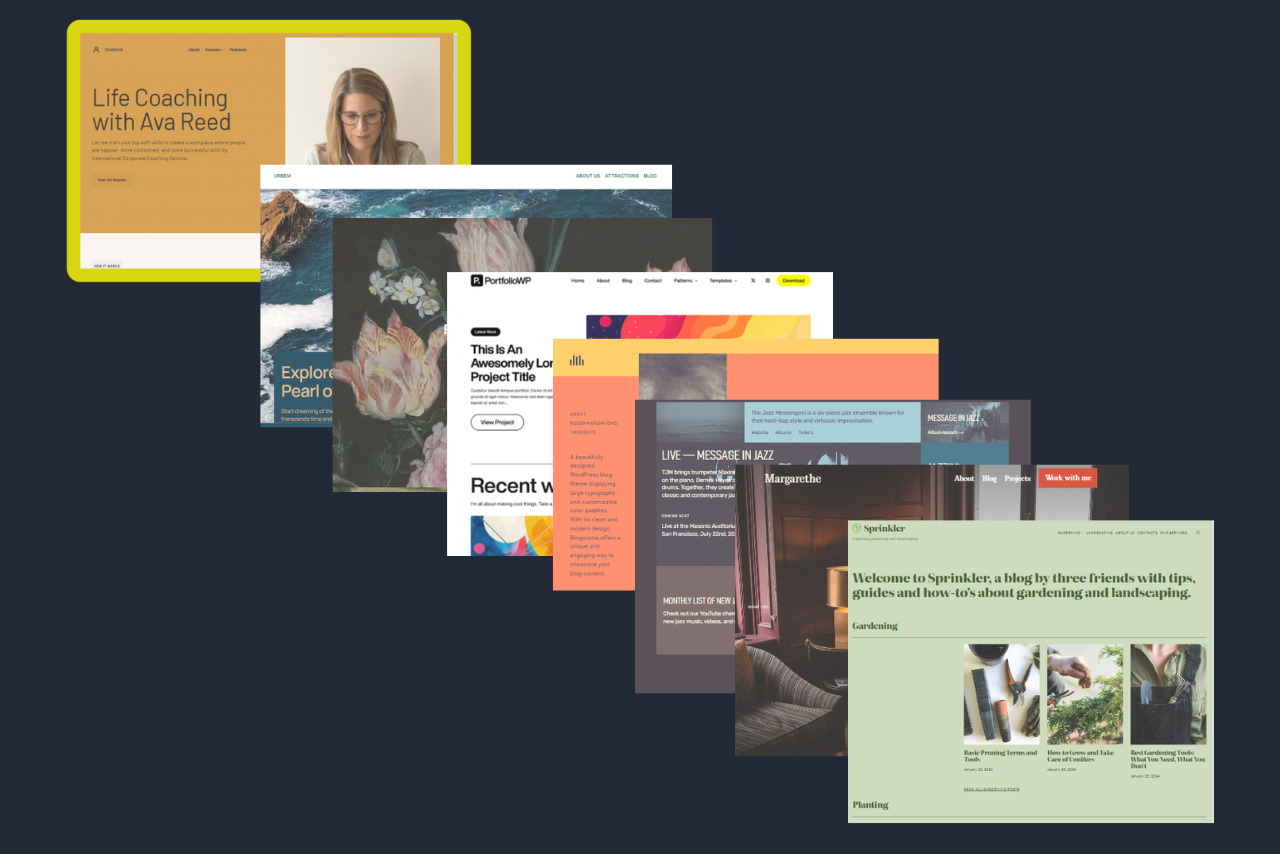

Which is Better: Website Builder or WordPress?
Your choice of website-building tool depends on your specific needs, priorities, and budget. You need to answer certain questions, such as: What is your level of technical skill? How much time do you have to build your website? What level of customization do you want? How scalable do you want your website? What’s your budget?
Here’s a breakdown of the key questions to consider:
- Technical Expertise: How well do you know web management? If you’re starting, website builders are your best bet. However, WordPress is a good option if you have good technical knowledge. If you’re willing to learn, you can also try WordPress.
- Customization Needs: What are your design needs? Do you need more freedom to use available tools and resources? WordPress is your option to explore specific features outside the platform. On the other hand, website builders offer limited options.
- Scalability Requirements: WordPress works well for large and growing websites. This CMS can adjust to improve performance and features as your website grows, but website builders are limited in this regard.
- Budget: You must consider the initial payment and the long-term cost. Website builders have a predictable monthly fee. Some, like Wix, have free plans but limited features. You can also pay for a year upfront to save costs. On the other hand, WordPress offers more flexible payment plans. Cost can be cheap and expensive depending on your needs. It also provides more features for their plans.

Here’s a quick guide to help you decide:
Choose a website builder if:
- You’re a beginner with limited technical skills.
- You need a simple website (e.g., basic business website, portfolio, blog).
- Speed and ease of use are your top priorities.
- You prefer a predictable monthly cost.
Choose WordPress if:
- You want full control over your website, including customization and maintenance.
- You need a system that can adjust to website growth and function.
- You have some good technical knowledge or are ready to learn.
- You want numerous customizable options of plugins and themes.
Conclusion
Both website builders and WordPress are great tools for building websites. Website builders simplify the process for beginners. In contrast, WordPress focuses on control and scalability for advanced users. This comparison post has all the details to help guide your decision.

Next Steps: What Now?
Want to start building your website with e-commerce functionality? Follow these action steps to stay on the right path:
- Read about the various website builder types and compare them with WordPress.
- Learn more about planning a website and tips for building a website.
- Find out about the best web hosting providers and WordPress hosting providers.
- Learn how to use a website template.
- Get some technical knowledge if you want to use WordPress.
Further Reading & Useful Resources
Need more guidance on website building and maintenance? Here are a few more:
- Learn the key differences between WordPress.org and WordPress.com.
- Compare web hosting providers with our web hosting comparison tool.
- Check out free and paid WordPress themes for magazines.
- Find the best plugins for your WordPress websites.
- Read how to host a website for beginners.


