Expert and User Insights by Godlike host Customers
Godlike piqued my interest with its promise of robust features like 30+ titles, full custom Minecraft Server, and competitive pricing. I decided to put their services to the test. In this Godlike review, I'll walk you through my firsthand experience, covering everything from costs to actual performance.
Godlike piqued my interest with its promise of robust features like 30+ titles, full custom Minecraft Server, and competitive pricing. I decided to put their services to the test. In this Godlike review, I'll walk you through my firsthand experience, covering everything from costs to actual performance.
I was eager to see how Godlike would compare to other gaming server providers, especially with their focus on popular games like Minecraft, Rust, and ARK. They claim to deliver exceptional performance without a premium price tag.
My initial experience was positive: the dashboards were user-friendly, and the server setup was surprisingly fast. I was particularly impressed with the customization options and added features like DDoS protection.
While Godlike excels in several areas, I encountered a few points where I felt room for improvement. For example, the server migration process wasn’t as seamless as I’d hoped. That said, despite these minor drawbacks, I believe Godlike Hosting represents a strong choice for both gamers and smaller online businesses seeking reliable and affordable game hosting.
In this Godlike review, I’ll analyze Godlike’s strengths and weaknesses comprehensively, drawing directly from my personal experience.
Godlike host
Godlike provides premium and free server hosting services for games like Minecraft and FiveM. Known for high-performance AMD Ryzen 9 9950x3D processors, unlimited bandwidth, advanced DDoS protection, and a user-friendly custom control panel, they offer reliable, scalable, and secure hosting solutions.
At Hostadvice, we use a detailed rating methodology to evaluate hosting providers like Godlike. This method ensures that we consider all aspects of a hosting service, from pricing to customer support, providing a thorough understanding of what each brand offers.
Below is the breakdown of Godlike‘s performance in various categories.
Godlike offers competitive prices, especially for game server hosting. However, the renewal costs can be slightly higher than the initial promotional prices.
Godlike offers an excellent array of features. The customizable server options make it a great choice for both beginners and advanced users. However, they could benefit from adding more flexibility with server migration options.
The interface is intuitive and straightforward, especially for beginners. Server management and account setup are easy, and the game panel is user-friendly.
Godlike’s servers excel in CPU, disk, and memory performance, handling demanding applications with minimal latency. Their high-performance infrastructure ensures smooth operation for game servers and memory-intensive tasks.
Customer support is accessible via Discord and ticket support. The support system is efficient and responsive, with fast response times and helpful agents.
Godlike host
Godlike provides premium and free server hosting services for games like Minecraft and FiveM. Known for high-performance AMD Ryzen 9 9950x3D processors, unlimited bandwidth, advanced DDoS protection, and a user-friendly custom control panel, they offer reliable, scalable, and secure hosting solutions.
Godlike provides server hosting for popular games like Minecraft, Rust, ARK Survival Evolved, Palworld, and Terraria. For those looking to test out the service, Godlike offers a 3-day money-back guarantee, ensuring that you can receive a refund if you cancel within the first 3 days.
The platform accepts various payment methods, including credit cards, PayPal, and Bitcoin & altcoins, making it easy to get started.
Godlike offers Minecraft Java Server Hosting and Minecraft Bedrock Edition Server Hosting, with various plans for different group sizes and needs.
Minecraft Java Servers:
The Single plan with 1-4 slots and 1 GB RAM is ideal for players looking to run a small server.
For a slightly larger community, the Double plan (5-10 slots, 2 GB RAM) or Triple plan (10-20 slots, 3 GB RAM) will suffice.
However, I recommend the Quadro plan (20+ slots, 4 GB RAM) for more substantial servers, which is a popular choice. If you plan to host a server with mods or more players, Ultra (30+ slots, 6 GB RAM) or Unstoppable (40+ slots, 8 GB RAM) will give you the extra power you need.
Rampage (50+ slots, 10 GB RAM) or Godlike (200+ slots, 20 GB RAM) are the best options for large-scale Minecraft communities.
Tip Start with the Quadro plan if you’re just starting out, as it provides enough room for growth. Once your community expands, move to the Immortal or Legendary plan for a smooth, lag-free experience.
Minecraft Bedrock Edition Server Hosting:
The Single plan with 15 slots and 1 GB RAM is a great start for smaller groups. Double (30 slots, 2 GB RAM) and Triple (50 slots, 3 GB RAM) plans cater to medium-sized servers.
The Quadro (100 slots, 4 GB RAM) and Ultra (150 slots, 6 GB RAM) plans work well for larger Bedrock communities. The Professional plan, offering 200 slots and 8 GB RAM, is perfect for large Bedrock Edition communities with heavy modding.
For custom setups, Custom plans allow you to configure the server with 15 to 200 slots and 1-8 GB RAM, ideal for specific needs.
Tip Follow the Professional plan for larger communities to ensure stability with a large player base.
My Opinion: Both Minecraft Java and Bedrock hosting are versatile and provide enough options for various player counts and modding needs. The ability to customize the server is a huge benefit, and the first purchase discounts make it affordable.
2. Rust Server Hosting
Godlike offers several plans for Rust server hosting, which is perfect for smaller groups or larger communities with extensive mods.
Compound (50 Slots, 8 GB RAM) is ideal for smaller Rust servers with basic plugins.
Pump (75 Slots, 10 GB RAM) provides more capacity and is perfect for medium-sized groups.
Python (100 Slots, 12 GB RAM) is suitable for larger groups and more intensive server use.
Custom (50-100 Slots, 8-12 GB RAM) allows for full customization based on your server needs.
I recommend Thompson (150 slots, 16 GB RAM) or Bolt (200 slots, 20 GB RAM) for larger Rust servers. For even more demanding servers, Rocket with 250 slots and 24 GB RAM will ensure optimal performance.
My Opinion: Rust hosting on Godlike offers robust options for both small and large-scale servers. Customizing and scaling up as needed is a significant advantage for growing communities.
3. ARK Survival Evolved Server Hosting
Godlike offers ARK Survival Evolved and ARK Survival Ascended server hosting, with plans suitable for small and large communities.
Best ARK Survival Evolved Servers:
Clever (30 Slots, 8 GB RAM) – Suitable for small ARK communities with a few mods.
Growth (60 Slots, 14 GB RAM) – Best for medium communities.
Massive (90 Slots, 16 GB RAM) – For larger communities with multiple mods.
Skylord (120 slots, 20 GB RAM) and Void (200 slots, 28 GB RAM) are top choices for high-demand servers.
Tip For ARK, consider investing in higher RAM plans for modded gameplay and ensuring that your server can handle many players without lag.
My Opinion: The ARK hosting options are perfect for any community size. The ability to adjust the server to your needs, with both Survival Evolved and Survival Ascended options, is an excellent feature.
4. Godlike Palworld Server Hosting
For Palworld server hosting, Godlike provides the following plans:
For larger communities or modded Palworld servers, I recommend Wumpo (16 slots, 20 GB RAM) or Chillet (20 slots, 24 GB RAM). For the biggest communities, Anubis (24 slots, 28 GB RAM) and Katress (28 slots, 32 GB RAM) are great choices.
Tip As Palworld grows in popularity, consider starting with a smaller plan and then scaling up as you attract more players.
My Opinion: Palworld hosting is easy to use, and the available plans cover both small and large server needs. Customization options make it great for modding, and the performance is solid for both small and large groups.
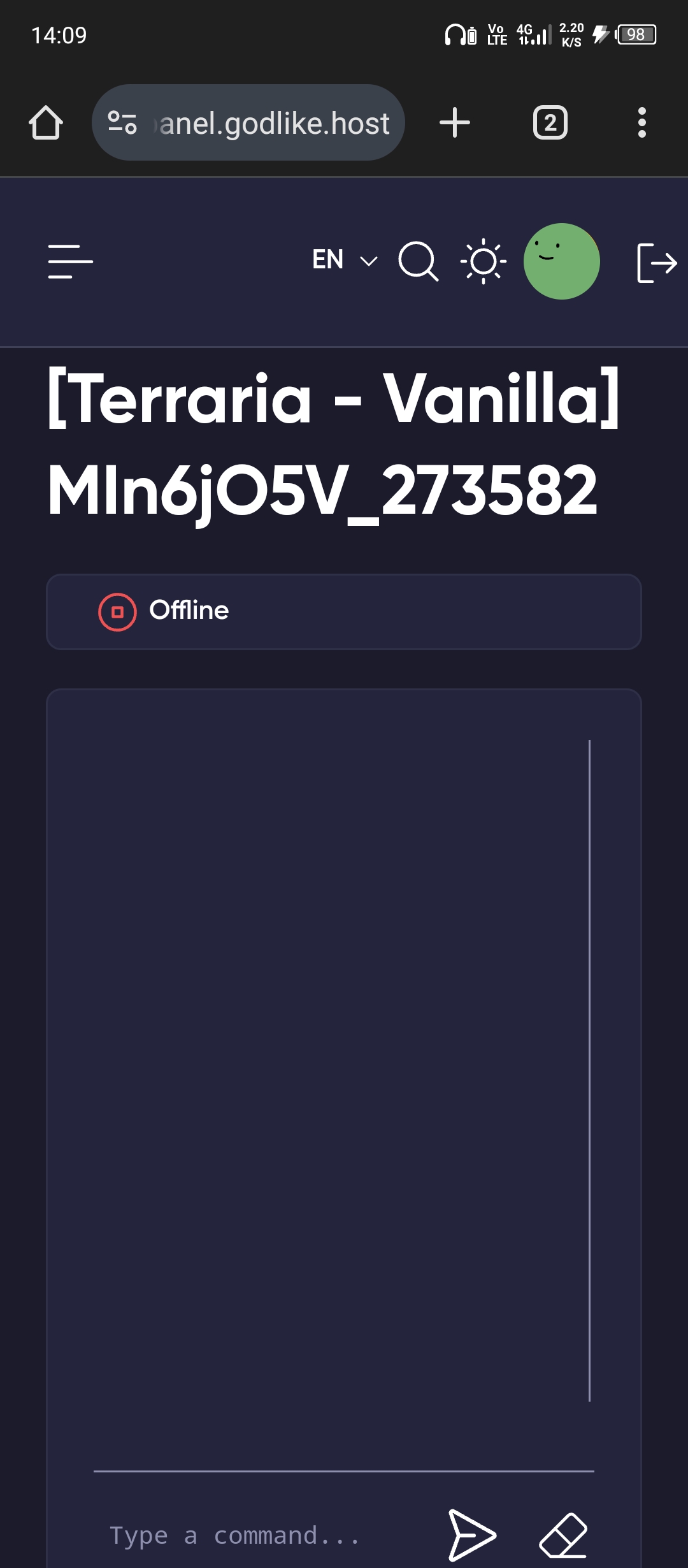
5. Godlike Terraria Server Hosting
For Terraria, Godlike offers various plans to fit different server sizes and modding requirements.
Palladium (8 Slots, 2 GB RAM) – Perfect for small groups or vanilla gameplay.
Mythril (16 Slots, 3 GB RAM) – A good plan for moderate-sized communities.
Orichalcum (24 Slots, 4 GB RAM) – Ideal for larger groups or modded servers.
I recommend Chlorophyte (32 slots, 6 GB RAM) or Titanium (40 slots, 8 GB RAM) for larger modded servers. Adamantite (48 slots, 10 GB RAM) offers the highest capacity for even more intensive setups.
Tip Terraria hosting with Godlike works well for both vanilla and modded gameplay. Consider opting for higher RAM plans if you’re running mods like Calamity or Thorium, which can be demanding.
My Opinion: Terraria hosting with Godlike offers a smooth and reliable experience, with a variety of plans to choose from depending on your needs. The flexibility for modding is an added bonus for those who want to enhance their gameplay.
Godlike host
Godlike provides premium and free server hosting services for games like Minecraft and FiveM. Known for high-performance AMD Ryzen 9 9950x3D processors, unlimited bandwidth, advanced DDoS protection, and a user-friendly custom control panel, they offer reliable, scalable, and secure hosting solutions.
To test Godlike’s ease of use, I decided to try the registration process and explore the platform to understand how user-friendly it really is. I’ll walk you through my experience, from signing up to managing the server, and review each step.
Registration and Creating a New Account
The registration process on Godlike is fairly simple. First, I navigated to the Games menu on their website and chose the type of hosting I wanted—in my case, Minecraft.
I then selected my preferred plan and clicked on Add to Cart.
On the next page, I was prompted to enter my personal details. This included my first and last name, email address, and billing information (like my country).
Once I completed this section, I moved on to the order details section, where I had to select the billing cycle—monthly, 90 days, or longer (with discounts for longer terms).
I also needed to choose the location for the server, with options such as:
Europe
North America
Asia
Additionally, I was asked to choose the Jar/Server Type, where I could select from a variety of Minecraft server types, including:
Paper Minecraft
Spigot Minecraft
Purpur Minecraft
Fabric Minecraft
Forge Minecraft
Sponge (Vanilla)
The order form was provided in a secure environment to ensure privacy and protection against fraud, as my current IP address was being logged. After reviewing all the details, I clicked on Next Step to proceed with my order.
The final step was to input my payment details. They accept multiple payment methods, including credit cards, PayPal, and even Bitcoin. After completing the payment information, I clicked Checkout to finalize my server purchase.
Shortly after, I received an order confirmation email, confirming that my order was processed. The email also contained a link to log in to my client area. To access my account, I needed to use the email address and password I chose during the signup process.
This email confirmed that everything was set up, and I was now ready to manage my server from the client area dashboard.
Tip I noticed that first-time users get a discount on their first purchase. Considering the longer billing cycles to take advantage of these savings is worth considering.
User Interface – Client Area & Dashboard
After completing my registration, I logged into my client area, and the interface is quite intuitive. The top menu provides clear options like View Cart, Notifications, Avatar, Services, Billing, Support, Affiliates, Knowledgebase, and a link to Discord.
The dashboard itself is clean and offers an overview of my active services. For instance, my Minecraft Budget – Unstoppable server was active, and the next renewal date was displayed along with quick links to renew or upgrade my service.
What I liked about this layout was the ease of navigation. I didn’t have to hunt for any information—it was all in one place. Below the dashboard, I found sections for Recent Support Tickets and Services Renewing Soon, which kept me updated on any upcoming tasks.
Tip The Notifications and Support sections were handy for tracking important updates or assistance requests. Everything was accessible with just a few clicks.
Server Management
Once I had explored the dashboard, I moved on to managing my server. I clicked on Services to open a list of all the servers I had purchased. This section displayed my active products, and it was easy to navigate through them. For example, I could quickly find my Minecraft Budget—Unstoppable server, which was listed with its status (active) and next due date.
Each product had a set of actions I could take:
Renew Services: If needed, I could renew my service directly from this page.
Place a New Order: I could quickly add more services.
View Available Addons: Check for any additional features or resources I could add to my server.
When I clicked on the name of my active server, it took me to the Product Details page, where I could access all the server configuration settings. Here, I saw options like:
Change Password: I could change my server password whenever I wanted to secure access.
Upgrade/Downgrade: This allowed me to easily upgrade or downgrade my plan based on my needs. If I needed more RAM or slots for additional players, this was the place to do it.
Server Information: I could check details like the location (e.g., Germany), server type (e.g., Paper Minecraft), and resource allocation (e.g., CPU and RAM).
Cloud Backups: I could set up automatic backups for my server, which I found very reassuring. Having up to three backups per day is useful, especially if I make changes that I need to revert.
Tip If your community is growing or you want to add more mods, upgrade your server’s RAM and slots. Upgrading your plan is straightforward and ensures a smooth experience as you expand.
Going to the Game Panel
After exploring the Server Management dashboard, I clicked on the “Go to the Game Panel” button. This took me to the server management interface, where I had complete control over my Minecraft server. Here’s what I found in the Game Panel:
On the left panel, there were several sections and features:
PRO MODE: This is a toggle between basic and advanced features. I found this option useful if I needed more control over my server’s settings, especially when running a modded server or adjusting advanced configurations.
Server Management: This section provided various tools for managing my server, including:
Overview: An overview of the server’s performance and current status.
Console: A real-time log of server activities, such as executed commands and any errors.
Players: A list of active players connected to the server. I could kick or ban players if needed.
File Manager: This allowed me to upload or modify server files directly from the panel.
Backups: I could create and manage backups, which is crucial for ensuring the safety of my data.
Activity: A log of server activities, such as recent actions taken on the server.
MINECRAFT MANAGEMENT: Here, I could manage everything Minecraft-related:
Server Properties: A section where I could edit important server properties, such as world settings and game modes.
Version: I could change the Minecraft server version to ensure compatibility with different mods or plugins.
Plugins: I could install and manage plugins.
SERVER SETTINGS: This section was for more detailed configurations:
Firewall: Adjust firewall settings to manage security and control incoming traffic.
Network Settings: Fine-tune network configurations for better performance and stability.
General Settings: Customize various general server settings, including memory and performance configurations.
Startup Settings: Configure how the server starts up and adjusts its resource allocation.
My Account: I could update my account details, including email and password.
Upgrade Plan: This allowed me to easily upgrade my plan if I needed more resources or higher performance.
GO Discord: A link that redirected me to the Discord support channel, where I could interact with customer support.
Support Tickets: I could submit support tickets directly from this panel for troubleshooting issues.
Knowledge Base: This section provided access to articles and guides for setting up and managing my server, which was incredibly helpful.
Shares: I wasn’t sure what this was initially, but it appeared to be a way to manage server files and collaborate with others.
Clicking on any item on the left panel opened up more detailed options on the right panel, where I could interact with each tool.
For example, when I clicked on Server Properties, I could modify things like jmx-monitoring and game modes.
My Impressions:
I found the layout of the Game Panel to be intuitive and easy to navigate. The interface was well-organized, making it clear where to find each feature. The most useful part for me was the ability to manage mods and plugins directly through the panel, which simplified the setup process. I also appreciated the PRO MODE option, which gave me more advanced settings and controls like Databases and Schedules when needed.
Tip If you’re running a modded server or plan to scale up your server’s capacity, explore the Server Settings and Upgrade Plan options to get the most out of your hosting plan. Customizing these options will help optimize performance as your server grows.
In my experience, Godlike Hosting provides an intuitive and easy-to-use interface for both beginners and advanced users. Registering, setting up a server, and managing it through the game panel was straightforward. The variety of plans available ensures that you can start small and scale up as your community grows.
Godlike host
Godlike provides premium and free server hosting services for games like Minecraft and FiveM. Known for high-performance AMD Ryzen 9 9950x3D processors, unlimited bandwidth, advanced DDoS protection, and a user-friendly custom control panel, they offer reliable, scalable, and secure hosting solutions.
I also decided to test how well Godlike’s server performs to get a feel for its real-world capabilities. The server properties I was working with are as follows:
Memory: 8 GiB
Disk: 30 GB
To test the server’s performance, I utilized the Console feature in the Game Panel, which is really easy to access. Just click on “Console” from the left panel in the Game Panel, and it opens up a terminal where you can input commands and run tests.
I performed three main tests to assess the server’s capabilities:
CPU Performance Test using Sysbench
Disk I/O Test
Memory Performance Test
1. CPU Performance Test using Sysbench
The first test I ran was the CPU performance test using Sysbench. This benchmarking tool tests the performance of your CPU by running computationally intensive tasks, like calculating prime numbers.
Command used:
sysbench –test=cpu –cpu-max-prime=20000 run
This command runs a CPU benchmark that calculates prime numbers up to 20,000. The result gives you insight into how well your CPU handles processing tasks. It’s a good measure of raw CPU power for computations.
The events per second were 2278.02, a solid result for a game server CPU. The latency was low, with an average of 0.44 ms and a maximum of 0.47 ms. This means the server is very responsive, quickly processing tasks without noticeable lag. The total number of events completed (22,782) in just 10 seconds shows a good CPU throughput for regular server tasks.
2. Disk I/O Test
Next, I decided to test the disk performance to measure how quickly the server can handle data read and write operations. This is especially important for game servers that need fast disk I/O for storing game data and logs.
This command writes 1GB of data (1024 blocks of 1MB each) to the disk. The oflag=dsync option ensures the test is synchronous, meaning the write operation waits for the data to be physically written before continuing. This gives an accurate measure of the disk write speed.
The disk could write 1GB of data in 1.69 seconds, translating to a write speed of 634 MB/s. This is an excellent result, indicating that the server’s disk performance is fast, and it can handle data-heavy operations, such as large file transfers or game world data, without any bottlenecks.
3. Memory Performance Test
Finally, I tested the memory performance using Sysbench again, focusing on how quickly the server can read and write memory. This is important for applications that require high memory bandwidth.
Command used:
sysbench –test=memory run
This command measures the memory throughput by reading and writing a large amount of data in memory. The test is designed to give a sense of how well the server can handle memory-heavy tasks.
Test Results:
Total operations: 97956893 (9795231.17 per second)
95661.03 MiB transferred (9565.66 MiB/sec)
This result is impressive—the server performed 9.8 million operations per second and transferred 9565.66 MiB/sec of data. The latency was extremely low, at a maximum of just 0.03 ms. These results show that the server’s excellent memory performance and handles high-memory operations easily. It’s perfect for running large game servers or applications requiring much memory processing.
Final Thoughts on Performance
From my tests, Godlike’s servers perform exceptionally well, especially in CPU, disk, and memory tests. The CPU can efficiently handle computations with minimal latency, the disk is fast enough for heavy write operations, and the memory bandwidth is more than sufficient for demanding applications.
Overall, these performance benchmarks align with Godlike’s claims of delivering reliable, high-performance game hosting. If you’re running a game server or any memory-intensive application, you can count on Godlike’s infrastructure to keep things running smoothly.
Level of Support
Godlike Hosting offers several support channels to assist customers, including Discord, ticket support, and a knowledge base. I tested each of these methods to get a sense of the level of customer service and response times.
Here’s my review of each support option:
1. Discord Support
Godlike offers Discord as their primary support method, which I found incredibly responsive. To access Discord support, I simply logged into my client area, where I saw the Discord button in the top right corner of the dashboard. After clicking on it, I was taken to the invite link to join their Discord server. It was quick and seamless.
Once inside the server, I asked a simple question about accessing my server through SSH, and within a few minutes, a support agent responded. I found this method to be fast and interactive, especially if you enjoy real-time communication. The agent was polite and provided clear instructions for accessing the server via SSH.
My Impressions: The response time was impressive, and the interaction felt personal and efficient. I appreciated the immediacy of Discord, making it a solid choice for fast support.
2. Ticket Support
If you prefer a more structured support method, ticket support is available. To access it, I clicked on Support in the top menu of my dashboard and then selected Open Ticket.
I was prompted to choose a department—since I was asking about server access, I chose Service Department.
After that, I filled in my details, including my name, email address, and a high-priority message asking if I could access my server through SSH. I made sure to include a clear subject line and a detailed message. After submitting the ticket, I was provided with a confirmation and a ticket number.
My Impressions: The ticket submission process was easy to follow, and I appreciated the ability to choose the department. The response time was fast—I submitted the ticket at 14:51, and I received a reply at 15:10.
Tip Use ticket support for non-urgent issues or if you need more detailed assistance that requires some time for investigation. It’s ideal for issues that aren’t time-sensitive.
3. Knowledge Base
Godlike Hosting also provides a Knowledge Base for self-service support. To access it, I clicked on Knowledge Base in the top menu. The knowledge base is organized into categories like:
Godlike Panel
Billing
Other
There’s also a search feature that lets you find specific articles or guides quickly. I searched for server-related articles, and I found several helpful resources, including guides on managing game panels and troubleshooting common server issues.
My Impressions: The knowledge base is quite helpful, with well-organized categories and a search function that made it easy to find the answers I was looking for. While it didn’t provide an immediate answer to my SSH question, I appreciated that there were detailed resources available for general server management.
Tip If you prefer solving issues on your own, the Knowledge Base is a great place to start. It’s well-organized and could save you time.
Godlike host
Godlike provides premium and free server hosting services for games like Minecraft and FiveM. Known for high-performance AMD Ryzen 9 9950x3D processors, unlimited bandwidth, advanced DDoS protection, and a user-friendly custom control panel, they offer reliable, scalable, and secure hosting solutions.
From my experience, Godlike Hosting provides excellent support options. The Discord support was particularly impressive due to its fast response times and real-time communication. The ticket support is ideal for more detailed inquiries, while the Knowledge Base is great for solving general issues on your own.
Overall, the customer service is responsive, helpful, and easily accessible, making it a solid choice for users who value quality support.
Godlike Review: Bottom Line
After testing Godlike, I’m honestly quite impressed with what they offer. For gamers or small online businesses looking for solid game server hosting, Godlike delivers. The pricing is competitive, and the performance is generally solid. I particularly liked the easy setup and intuitive dashboard, which are great for beginners and more experienced users. Customization options and DDoS protection add even more value to those running multiplayer game servers.
One of the standout features for me was the customer support—the Discord support is fast, and I had a quick, informative response when I needed help. The ticket support was fast, and the agents were professional.
That said, there are a few areas where I think Godlike could improve. The lack of SSH access for security reasons is a bit of a drawback, especially for advanced users who want full control over their servers.
Overall, if you’re looking for reliable, affordable hosting for games like Minecraft, Rust, or ARK, Godlike is definitely a solid choice. It certainly ticks all the right boxes for gamers who want a smooth and supportive experience. Would I recommend it? Absolutely—just know what to expect, especially if you need SSH or seamless migration options.
Absolutely incredible hosting service, offers free hosting for the tiny cost of a few 30 second ads,, and has incredible pricing and servers for everything else! It has every game I would want to host on, even smaller ones like unturned, absolutely legendary.
Thank you for the awesome review! We’re really glad you’re enjoying the free hosting option and that the ads feel like a fair trade-off. It’s also great to hear you’re happy with our pricing and that you can host all the games you want - including smaller ones like Unturned. We truly appreciate your support!
Llevo utilizando Godlike Host para alojar un servidor de Terraria, y ha sido una experiencia increíble. Desde el principio, la instalación del servidor fue rápida y sencilla, permitiéndome poner en marcha mi mundo en cuestión de minutos. El rendimiento del servidor es excelente, incluso con varios jugadores conectados, lo que asegura una experiencia de juego fluida y sin lag.
La estabilidad del servidor es impecable, con prácticamente cero caídas o problemas de conexión. Esto es especialmente importante en un juego como Terraria, donde la cooperación y el progreso dependen de la consistencia del servidor. Además, el soporte técnico es de primera, siempre disponible para resolver cualquier inconveniente o para optimizar aún más el rendimiento del servidor.
Otra ventaja es la flexibilidad de los planes de hosting de Godlike Host, que te permite ajustar el paquete según el tamaño de tu comunidad, todo a un precio razonable. Si buscas un servidor confiable y potente para Terraria, definitivamente recomiendo Godlike Host.
Conoce más sobre ellos aquí: https://godlike.host/.
Godlike Hosting has consistently proven itself to be a reliable and high-performance web hosting provider. With a wide range of plans and features, it caters to both individuals and businesses of all sizes. Here's a breakdown of the key benefits that make Godlike Hosting a top choice:
Godlike Hosting offers a wide selection of games, including Minecraft, Rust, ARK: Survival Evolved, Palworld, Terraria, Counter-Strike, Unturned, and more.
Does Godlike Hosting offer free server hosting?
Yes, Godlike Hosting provides free server hosting with features like DDoS protection and a variety of game selections.
What is the performance of Godlike Hosting's servers?
Users have praised Godlike Hosting for its reliable servers, fast loading speeds, and strong security measures, making it a preferred choice for businesses and gamers.
How does Godlike Hosting's customer support operate?
Godlike Hosting offers multiple support channels, including Discord for quick assistance and a ticket system for more detailed inquiries. Response times may vary, with Discord support typically being faster.
What are the pricing plans for Godlike Hosting?
Godlike Hosting offers competitive pricing with various plans tailored to different needs. For example, Minecraft hosting starts at $7.99 per month.
Need help with finding the right host for your needs?
Answer a few simple questions and find the perfect solution for you!
HostAdvice.com provides professional web hosting reviews fully independent of any other entity. Our reviews are unbiased, honest, and apply the same evaluation standards to all those reviewed.While monetary compensation is received from a few of the companies listed on this site, compensation of services and products have no influence on the direction or conclusions of our reviews. Nor does the compensation influence our rankings for certain host companies.This compensation covers account purchasing costs, testing costs and royalties paid to reviewers.