


Save big with up to 86% off Web Hosting Plans, starting at just $3.99/month when you sign up for a 1-year term.


Save big with up to 86% off Web Hosting Plans, starting at just $3.99/month when you sign up for a 1-year term.
Simplify Site Management with cPanel Hosting—Save Up to 86%! Get powerful, secure, and easy-to-manage cPanel hosting.
Get fully managed WordPress hosting starting at just $4.49/mo for a 1-year term. Enjoy automatic updates, enhanced security, 24/7 expert support, and lightning-fast performance
Focus on growing your business, leave the hosting to us. Get ultra-fast web hosting for small businesses with free email, SSL, CRMs, CMSs & more. All with other performance and reliability of our premium business hosting.
Each of our web hosting solutions is fine-tuned, blazing fast, and ready for you! Choose the high-speed package tailored to your needs.
Get affordable, high-performance web hosting that supports all major CMSs, including WordPress, Drupal, Joomla!, and more.
Hosting.com provides a fully managed, high performance Node.js hosting environment. You bring the code, deploy your app via Git, SSH or upload via our interface, and we\’ll do the rest.


| Coupon title | Discount | Coupon Code | |
|---|---|---|---|
| 86% OFF Web Hosting Plans (Free Domain included) | 86% OFF | Auto-Applied | Show Deal |
| Up to 72% OFF Managed WordPress Hosting plans (free domain included) | 72% OFF | Auto-Applied | Show Deal |
| 64% OFF Unmanaged VPS Hosting Plans (Includes an Exclusive 5% OFF coupon) | 64% OFF | advice555 | Copy Code |
| 60% OFF Managed Linux VPS Plans | 60% OFF | Auto-Applied | Show Deal |
| 60% OFF on JavaScript hosting | 60% OFF | Auto-Applied | Show Deal |
| Up to 50% OFF Reseller Hosting Plans | 50% OFF | Auto-Applied | Show Deal |
| 86% OFF on Business web hosting | 86% OFF | Auto-Applied | Show Deal |
Start by selecting the Hosting.com discount that suits your needs.
Next, visit the Hosting.com website and pick the hosting plan you want to renew. Options include shared hosting, WordPress hosting, VPS, and dedicated servers.
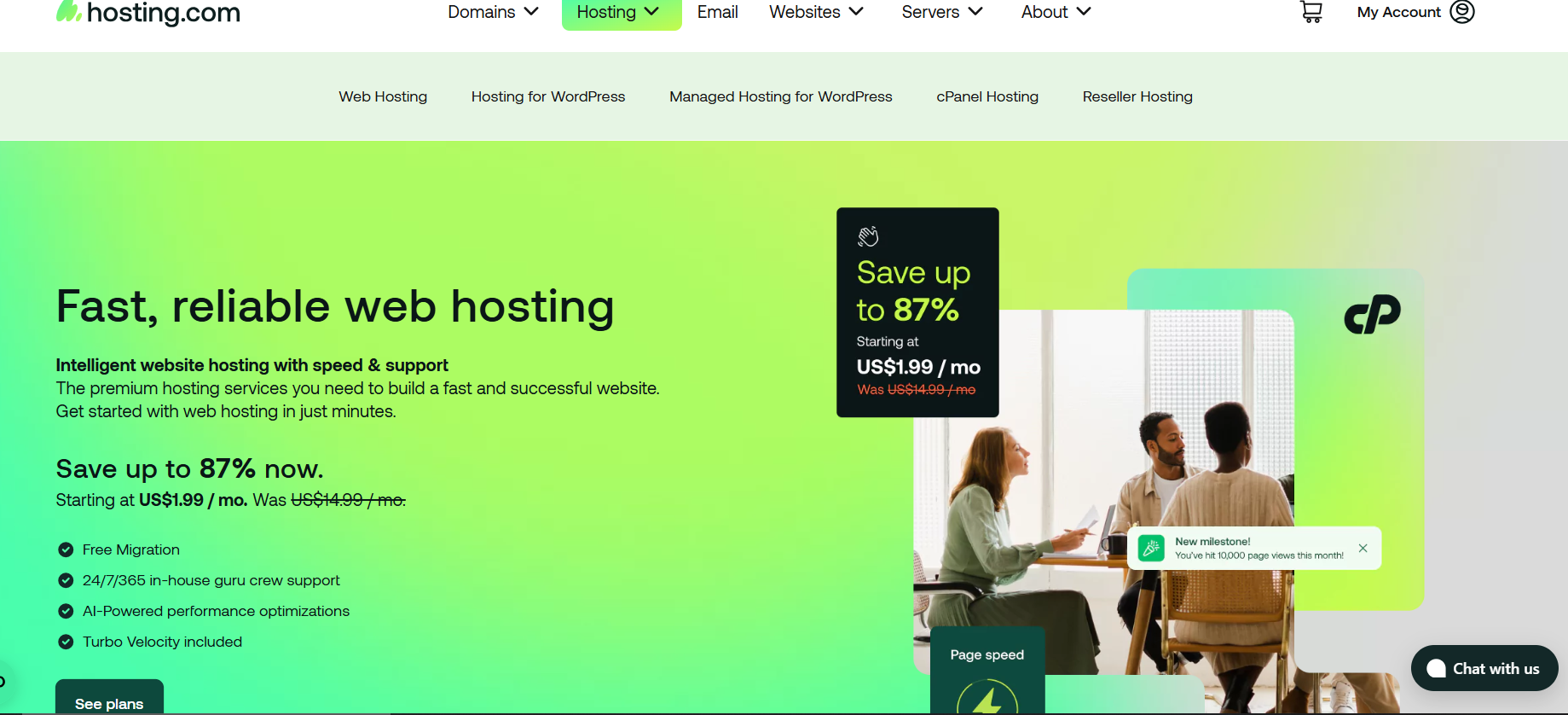
Just hover over “Hosting” in the top menu to check out your options. Once you’ve picked the type of hosting you want, click “See Plans” or “Choose Plans”, and the page will scroll down to show you what’s available.
Next, choose the hosting plan that best fits your needs and click “Buy Now” or “Get Started” to move forward.
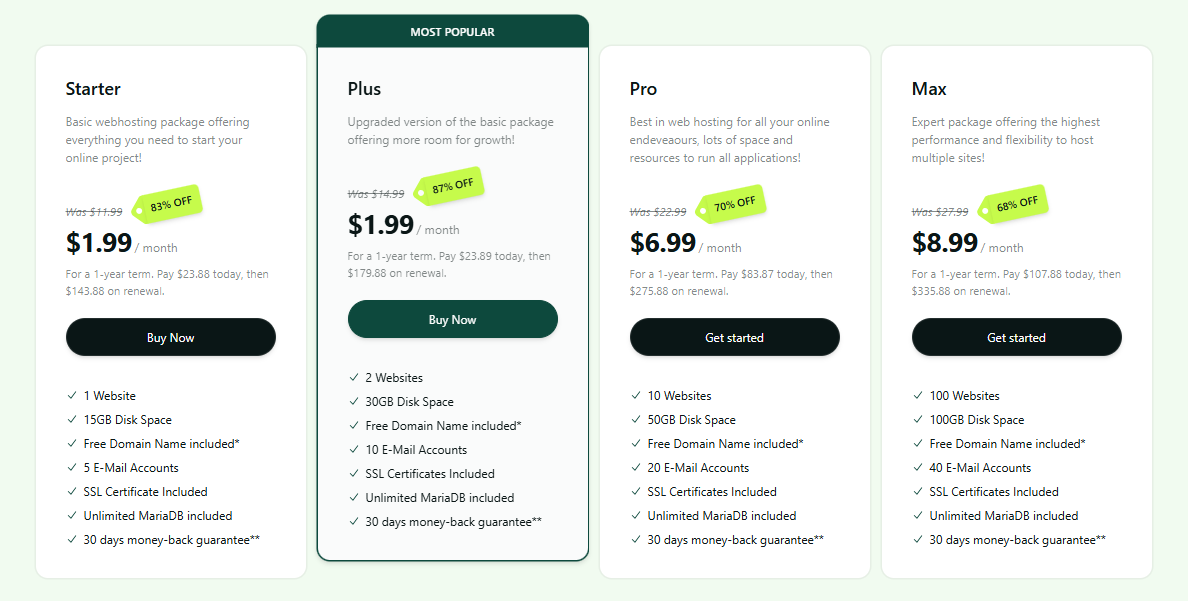
You’ll be taken to a page where you can configure your plan.

On the same page, you can enter an existing domain or register a new one. Next, choose the billing cycle that works for you.
Besides that, you have the option to choose a data centre location that’s closest to you to make sure your sites load fast and run smoothly. After that, click ‘Confirm and Proceed’ to move to the next step.

On the next page, you’ll see your order summary with the Hosting.com promo coupon applied and the total savings for your order.
If the discount doesn’t show up automatically, just enter the coupon code manually.
To finish your purchase, fill in your billing details, pick a payment method (credit card, PayPal, or wire transfer), and then click ‘Proceed to checkout’ to complete your order.
If your Hosting.com promo code isn’t applying correctly, follow these steps to troubleshoot the issue:
No, Hosting.com lets you use only one coupon per purchase. If you have coupons for different plans, you’ll need to make separate orders to use them all.
For each purchase, pick the coupon with the best discount, and consider choosing a longer billing period to save even more.
For example, if you have a Hosting.com VPS Hosting Coupon, Hosting.com Dedicated Server Hosting Coupon, or Hosting.com WordPress Hosting Coupons, you can’t use them all at once. To take advantage of all the discounts, place separate orders for each plan.
You’ll often find promotions and special offers for both new and returning customers. Some of the most popular Hosting.com Coupons include:
Hosting.com services are set to auto-renew by default. A few days before your plan expires, usually about three days, you’ll get an invoice, and the payment will be charged using your saved billing info.
You can manage your hosting and domain renewals anytime through the Customer Portal. If some domains don’t have auto-renew turned on, you can enable it there.
If you want to renew something manually, just log in to the Customer Portal, go to your dashboard, and select the hosting plan or domain you want to renew.

Next, you’ll be asked to enter your login details.

Once logged in, you’ll land in your Customer Portal, where you can manage your hosting plan, renew services, and update your account settings.

From here, you can renew your domains and hosting plan.
To renew a domain, just click DOMAINS in the menu bar, then choose RENEW DOMAINS to start the renewal process.

Find your domain in the domain list, and select the renewal period from the dropdown menu.

To finish renewing, click “Add to Cart,” then go to “View Cart” and complete your purchase at checkout.
Hosting.com is a trusted web hosting provider offering reliable and secure domain hosting with easy management, automated renewals, and 24/7 customer support.
Whether you’re registering a new domain, transferring an existing one, or managing multiple domains, Hosting.com provides scalable and user-friendly solutions to keep your online presence running smoothly.
Hosting.com offers a money-back guarantee for new customers, but cancellation policies vary by plan. Check your account dashboard or contact support for details.
If you don’t renew your hosting, you may not be able to access your website, emails, and data anymore. Hosting.com gives you a grace period, but after that, your account may be suspended or deleted.
Yes, Hosting.com may allow account recovery within a limited period after expiration. Log into your account or contact support to check if restoration is possible.
Only use renewal links from the official Hosting.com website, verified emails, or trusted partners. Avoid third-party sites that ask for sensitive information.
Yes, Hosting.com often gives better discounts for multi-year renewals. Choosing a longer billing cycle can help you lock in lower rates and avoid frequent price increases.
