
Puppeteer Hosting Feature Overview
| Provider | Starting Price | Rating | Moneyback | |
|---|---|---|---|---|
![]() | £4.15 | 30 Days | Visit Hostinger | |
![]() | £3.00 | 30 Days | Visit Kamatera | |
![]() | £3.00 | 7 Days | Visit VPSServer.com | |
![]() | £7.51 | 30 Days | Visit Verpex Hosting | |
![]() | £1.50 | 30 Days | Visit IONOS | |
![]() | £2.77 | 45 Days | Visit HostArmada | |
![]() | £4.87 | 30 Days | Visit Hosting.com | |
![]() | £1.87 | 45 Days | Visit ChemiCloud | |
| | £10.10 | 30 Days | Visit ScalaHosting | |
![]() | £1.34 | 30 Days | Visit FastComet |
What Are Puppeteer Hosting Providers?
Puppeteer hosting providers offer specialized server environments optimized for running Puppeteer, a Node.js library for automating browser tasks such as scraping, testing, and rendering. These hosting solutions are designed to handle the resource-intensive demands of Puppeteer operations, providing robust processing power, sufficient memory, and reliable network connectivity for smooth and efficient performance.
When to Choose and When to Avoid Puppeteer Hosting
| Reasons to Use Puppeteer Hosting | Reasons Not to Use Puppeteer Hosting |
| You need to automate browser tasks like web scraping or testing. | You are unfamiliar with configuring server environments. |
| Running Puppeteer locally isn’t feasible due to hardware limitations. | Your project doesn’t involve browser automation tasks. |
| Your workflow requires frequent use of headless browser operations. | You only need basic hosting for static or lightweight sites. |
| You need scalable resources for complex or high-volume tasks. | You lack technical expertise to manage server configurations. |
Alternatives to Puppeteer Hosting
If Puppeteer hosting is not relevant to your needs, consider these alternatives:
- Shared Hosting: Ideal for basic websites or projects that don’t require browser automation. It’s affordable and easy to use.
- Dedicated Servers: Suitable for high-performance requirements where exclusive server resources are necessary.
- Cloud Hosting: A good option for scalable workloads without specific Puppeteer needs.
- Managed Hosting Services: Perfect for developers who need hands-off hosting for other applications or frameworks.
How to Choose the Best Puppeteer Hosting Provider
- Check Resource Availability: Ensure the hosting provider offers sufficient CPU, RAM, and storage for Puppeteer’s resource-intensive operations.
- Evaluate Network Performance: Look for low latency and high bandwidth to handle fast data retrieval and processing.
- Consider Scalability: Choose a provider that allows you to scale resources as your project grows.
- Review Pricing Models: Compare costs and ensure the pricing aligns with your budget and usage patterns.
- Assess Customer Support: Opt for providers with reliable and responsive support to assist with technical issues.
10 Best Puppeteer Hosting Providers in Oct 2026
-
Best Overall Hosting 2026
-
Users Top Choice 2026
-
Most Recommended NodeJS 2026
-
Best AI App Builder 2026
-
Top 5 Europe Web Hosting 2026

Hostinger is an excellent choice for developers seeking affordable hosting solutions for Puppeteer projects. Its low-cost plans include features like SSD storage, full root access, and a custom control panel, making it easy to manage and scale browser automation tasks.
Rating Based on Expert Review:
- Overall Score: 4.7
- Features: 4.6
- Reliability: 4.7
- User-Friendly: 4.8
- Support: 4.6
- Pricing: 4.9
Detailed Analysis:
Features: Hostinger provides SSD storage, full SSH access, and scalable VPS plans designed to handle browser-based automation tasks. It also offers IPv6 support and dedicated IP addresses.
Reliability: Hostinger guarantees 99.9% uptime and uses advanced server monitoring tools to ensure stability for Puppeteer scripts.
User-Friendly: The intuitive hPanel interface simplifies server setup and management. Hostinger includes one-click app installations and useful tutorials for beginners.
Support: Hostinger offers 24/7 support through live chat and a great knowledge base. While response times are fast, advanced technical inquiries may require follow-up.
Pricing: Plans start at just $3.99/month, making Hostinger one of the most cost-effective providers for Puppeteer hosting.
Pros and Cons:
- Affordable pricing
- Easy-to-use control panel
- SSD-based servers
- Free migration services
- Advanced features may require manual setup
- Limited resources on entry-level plans
Hostinger combines affordability with ease of use, making it perfect for hosting Puppeteer projects. Start your automation journey with Hostinger’s budget-friendly plans and reliable infrastructure today!
-
Best VPS Hosting 2026
-
Top 5 Europe Web Hosting 2026
-
Top 5 Australia Web Hosting 2026
-
Top 10 Best Gaming Hosting Provider 2026
-
Top 10 Reseller Hosting 2026

Kamatera is widely recognized for its reliable cloud infrastructure, making it a top choice for hosting Puppeteer projects. With flexible configurations and instant scalability, Kamatera allows you to run resource-intensive browser automation tasks effortlessly. It offers a pay-as-you-go model, enabling users to start small and scale as needed.
Rating Based on Expert Review:
- Overall Score: 4.9
- Features: 5.0
- Reliability: 5.0
- User-Friendly: 4.8
- Support: 4.9
- Pricing: 4.9
Detailed Analysis:
Features: Kamatera offers advanced cloud-based servers with customizable specifications. Users can configure servers with up to 104 vCPUs and 512GB of RAM, ideal for handling Puppeteer workloads. It also provides SSD-based storage, firewalls, and load balancers for secure and efficient operations.
Reliability: With a 99.95% uptime guarantee and 13 global data centers, Kamatera ensures consistent performance and low-latency connections for Puppeteer scripts.
User-Friendly: The management console simplifies server setup and scaling. While beginners may need some guidance, the interface provides all the necessary tools for managing Puppeteer environments effectively.
Support: Kamatera offers 24/7 technical assistance via live chat, email, and phone. The team is well-trained to assist with server configurations and optimizations specific to Puppeteer projects.
Pricing: Starting at $4/month or $0.005/hour, Kamatera’s pricing model is transparent and affordable. You only pay for the resources you use, making it suitable for varying workloads.
Pros and Cons:
- Highly customizable servers
- Instant scalability and pay-as-you-go pricing
- 24/7 technical support
- Global data center coverage
- Requires some technical understanding
- Managed services can be expensive
Kamatera is a leading choice for Puppeteer hosting, offering unmatched scalability and flexibility. Start with a low-cost plan and scale effortlessly as your project grows. Try Kamatera today and experience seamless hosting for your Puppeteer scripts!

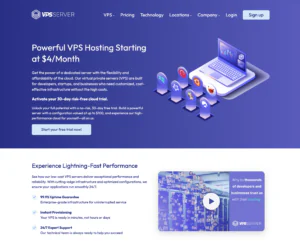
VPSServer.com is a practical choice for Puppeteer hosting if you want a low-cost VPS to run headless Chrome automation at scale. It suits developers building web testing pipelines, screenshot services, price monitoring, and internal automation tools where you control the runtime and scheduling. The key for Puppeteer is consistent CPU/RAM and stable I/O, since Chromium sessions can spike resources quickly—especially with parallel jobs. VPSServer.com works best when you’re comfortable managing Linux, installing dependencies for Chromium, and implementing queueing to prevent overload. It’s a solid foundation for DIY automation stacks, but it’s not a managed “Puppeteer platform,” so you’ll own the setup and ongoing tuning.
Rating Overview
- Overall Score: 4.5
- Performance: 4.5
- Support: 4.3
- Security: 4.4
- Pricing: 4.7
- Ease of Use: 4.3
Detailed Analysis
Performance: VPSServer.com provides steady VPS resources for Puppeteer runs when sized correctly, especially for single-job or low-parallel workloads. For higher concurrency, you’ll need more RAM and careful job throttling to avoid browser crashes. Performance is strongest when you treat the VPS as a worker node behind a queue rather than a single overloaded instance.
Support: Support is reliable for provisioning and infrastructure-level issues. Puppeteer/Chromium troubleshooting is largely self-managed, including dependency and sandbox settings. This is ideal for developers who already know their automation stack.
Security: You get full control to harden the server and isolate automation workloads. Running a headless browser against untrusted pages carries risk, so containerization and least-privilege access help. Regular patching and restricting exposed ports are essential.
Pricing: Pricing is a highlight for always-on automation workers and staging environments. It’s cost-effective to add compute headroom compared to many managed options. Costs can rise if you scale many workers, but budgeting remains predictable.
Ease of Use: Setup is straightforward for experienced users, but Puppeteer requires environment tuning. Installing Chromium dependencies and configuring sandbox behavior can take time. Once stabilized, operation is smooth with basic monitoring.
Pros and Cons
Excellent value for Puppeteer worker VPS hosting
Full control over Node and Chromium versions
Good performance when sized and queued properly
Easy to scale by adding more instances
Great for testing and automation pipelines
Puppeteer setup and dependency management are DIY
Parallel jobs can overwhelm small plans
Extra hardening needed for untrusted browsing
-
Best Reseller Hosting Provider 2026
-
Top 5 Australia Web Hosting 2026
-
Top 5 UK Web Hosting 2026
-
Top 10 Windows Hosting 2026
-
Top 10 VPS Hosting 2026

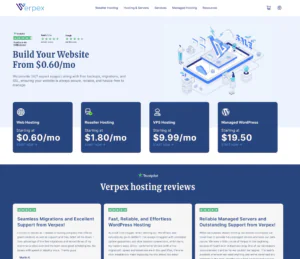
Verpex offers Puppeteer Hosting designed for developers needing stable, high-performance environments for web automation, testing, and scraping. With dedicated resources and Node.js support, it ensures fast and reliable execution of Puppeteer scripts.
Rating Overview
- Overall Score: 4.8
- Pricing: 4.5
- Features: 4.9
- Performance: 4.9
- Support: 4.8
- User Friendly: 4.7
Detailed Analysis
- Pricing: Verpex provides flexible Puppeteer hosting plans with transparent pricing. Users can scale CPU, RAM, and storage according to project demands, making it suitable for small experiments or large automation pipelines.
- Features: Plans include SSD storage, Node.js and NPM pre-installed, SSH access, and pre-configured Chrome/Chromium environments. Additional features such as automated backups and security measures ensure smooth and safe operation.
- Performance: Servers are fine-tuned for browser automation, delivering fast script execution and stable uptime. Resource allocation ensures scripts run efficiently, even during heavy or concurrent tasks.
- Support: 24/7 support via live chat and ticketing assists with configuration, troubleshooting, and deployment. The team is experienced with Puppeteer-specific hosting challenges.
- User Friendly: The interface is intuitive and developer-oriented, enabling quick setup and management. Users can monitor performance, deploy scripts, and access advanced configurations without technical hurdles.
Pros & Cons
- Dedicated resources for Puppeteer and Node.js
- SSD storage and pre-configured environments
- SSH access and flexible configurations
- 24/7 expert support
- Slightly higher cost compared to basic VPS hosting
- Some advanced scripts may require manual optimization
-
Best Value for Money 2026
-
Editor's Choice 2026
-
Most Recommened PHP Hosting 2026
-
Top 5 UK Web Hosting 2026
-
Top 5 Europe Web Hosting 2026

IONOS delivers enterprise-grade hosting solutions, making it ideal for large-scale Puppeteer deployments. With flexible plans and high-performance servers, IONOS provides the resources needed for intensive automation tasks.
Rating Based on Expert Review
- Overall Score: 4.7
- Features: 4.7
- Reliability: 4.8
- User-Friendly: 4.6
- Support: 4.8
- Pricing: 4.7
Detailed Analysis:
Features: IONOS offers powerful VPS hosting plans with scalable resources, DDoS protection, and SSD storage. Additional tools like server snapshots simplify project management.
Reliability: IONOS guarantees 99.9% uptime and uses state-of-the-art infrastructure for maximum stability and performance.
User-Friendly: The management interface is straightforward, although it may feel less intuitive compared to other providers.
Support: IONOS provides 24/7 customer support with a dedicated personal consultant for each account.
Pricing: Plans start at $2/month, offering great value for enterprise-grade hosting solutions.
Pros and Cons:
- Affordable entry-level plans
- Scalable resources
- Dedicated account consultants
- High uptime guarantee
- Interface could be more intuitive
- Some advanced features are premium-only
IONOS is the perfect choice for enterprise-grade Puppeteer hosting. With scalable resources and excellent support, you can confidently run large-scale automation tasks. Try IONOS today and optimize your workflows!
-
Best Web Hosting 2026
-
Top 5 Europe Web Hosting 2026
-
Top 5 Germany Web Hosting 2026
-
Top 10 Reseller Hosting 2026
-
Top 5 USA Web Hosting 2025

HostArmada focuses on providing secure hosting solutions, making it ideal for Puppeteer projects that require high levels of data protection. With free SSL certificates and daily backups, HostArmada ensures both safety and performance.
Rating Based on Expert Review:
- Overall Score: 4.8
- Features: 4.8
- Reliability: 4.8
- User-Friendly: 4.8
- Support: 4.9
- Pricing: 4.7
Detailed Analysis:
Features: HostArmada’s plans include SSD storage, free SSL certificates, and daily backups. Its security tools are designed to protect against DDoS attacks and malware.
Reliability: HostArmada boasts a 99.9% uptime guarantee, supported by multiple redundant data centers across the globe.
User-Friendly: Its cPanel-based interface simplifies server management, while features like one-click app installations streamline workflows.
Support: HostArmada offers 24/7 technical support with highly responsive representatives ready to assist with hosting-related issues.
Pricing: Plans start at $6.99/month, providing excellent value for secure Puppeteer hosting.
Pros and Cons:
- Strong security features
- Daily backups
- Free SSL certificates
- Intuitive interface
- Higher renewal rates
- Limited storage on entry-level plans
HostArmada combines security and performance, making it perfect for Puppeteer projects that require reliable data protection. Choose HostArmada and deploy your scripts with peace of mind today!
-
Top 25 Offshore Hosting 2026

Hosting.com’s Puppeteer Hosting is best approached through its VPS lineup rather than standard shared hosting, because Puppeteer typically needs system-level browser dependencies and a stable runtime for headless Chrome/Chromium automation. Hosting.com explicitly states that headless browsing (including Selenium and Puppeteer) is supported on Unmanaged VPS, Managed VPS, and Managed Dedicated Servers, making it a solid option for teams running scraping jobs, PDF generation, screenshot services, or automated QA workflows. hosting.com+1 For cost-conscious users, Unmanaged VPS gives you full root control to install exactly what Puppeteer needs, while Managed VPS can reduce ops burden if you want the provider to handle more of the server layer. hosting.com+1 Overall, it’s a practical balance of flexibility and support—just plan capacity carefully, since browser automation can be CPU/RAM intensive at scale.
Rating Overview
- Overall Score: 4.6
- Performance: 4.7
- Support: 4.5
- Security: 4.6
- Pricing: 4.4
- Ease of Use: 4.4
Detailed Analysis
Performance: VPS hosting avoids the shared-environment limitations that can disrupt long-running automation tasks. hosting.com
NVMe storage and modern CPU positioning help with faster installs, caching, and job throughput. hosting.com
You’ll still want to size RAM generously if you expect multiple concurrent Chromium sessions.
Support: Hosting.com offers always-available support coverage, which is useful when automation pipelines break unexpectedly. hosting.com
Documentation around Node.js setup helps teams get the runtime configured correctly on managed environments. hosting.com
Application-level Puppeteer debugging (timeouts, selectors, anti-bot) remains your responsibility.
Security: VPS-level isolation lets you implement stricter firewalling and access controls than typical shared plans. hosting.com
Using SSH keys and least-privilege processes is important for any automation service exposed to the internet. hosting.com
Security outcomes depend on your patching and dependency-update discipline.
Pricing: It’s competitively priced for teams who need predictable, always-on automation compared with per-run serverless costs.
Costs scale with resources, so standardizing “small/medium/large” worker tiers helps maintain margins.
Unmanaged VPS can be cheaper if you have in-house sysadmin capacity. hosting.com
Ease of Use: VPS requires more setup than shared hosting, but it’s the right foundation for Puppeteer’s dependency needs. hosting.com
Root access simplifies installing Chromium libraries and tuning runtime limits. hosting.com+1
Once templated, deployments become repeatable across environments and projects.
Pros and Cons
Officially supports headless browsing, including Puppeteer, on VPS tiers hosting.com
Root access enables full control of Chromium dependencies hosting.com+1
NVMe-backed VPS options suit automation workloads hosting.com
Strong documentation for Node.js setup on managed hosting hosting.com
Good fit for always-on scraping, QA, and PDF/screenshot pipelines
Requires careful CPU/RAM sizing for concurrent browser sessions
More setup effort than turnkey app platforms
App-level Puppeteer troubleshooting remains on the user
-
Best Customer Service 2026
-
Top 10 Reseller Hosting 2026
-
Over 99% Uptime 2026
-
Great Support 2026
-
Excellent Service 2026
-
Best Managed VPS Hosting Provider 2026
-
Top 5 Australia Web Hosting 2026
-
Great Support 2026
-
Excellent Service 2026
-
Over 99% Uptime 2026

ScalaHosting is a strong option for Puppeteer hosting when you want VPS flexibility but prefer a more managed experience to keep long-running automation stable. It’s well-suited to teams running scheduled browser automation, internal QA testing, reporting dashboards, and background scraping jobs where uptime and maintenance matter. Puppeteer’s main challenge is resource spikes and environment consistency, and ScalaHosting helps by providing a reliable VPS foundation with strong support and a security-forward baseline. You’ll still install and manage Puppeteer and Chromium dependencies, but the operational burden of keeping the server healthy is lower than with many unmanaged VPS providers.
Rating Overview
- Overall Score: 4.6
- Performance: 4.5
- Support: 4.7
- Security: 4.7
- Pricing: 4.4
- Ease of Use: 4.6
Detailed Analysis
Performance: ScalaHosting provides consistent resources for Puppeteer workloads like screenshotting, form automation, and testing pipelines. With adequate RAM and controlled concurrency, it runs reliably for continuous jobs. For heavy parallel automation, scaling up the VPS or distributing workers remains the best approach.
Support: Support is a standout for maintaining uptime and diagnosing server-side bottlenecks. It’s helpful when automation slows down due to resource contention or system issues. Puppeteer debugging is still your responsibility, but infrastructure guidance is strong.
Security: A managed security baseline is valuable when running headless browsers that interact with external sites. You can lock down access, patch consistently, and segment services more easily. For safer execution, consider containerizing Puppeteer jobs and limiting outbound permissions where possible.
Pricing: Pricing is competitive for a managed VPS, offering good value when you factor in support and reduced maintenance effort. It may not be the absolute lowest per spec, but it often saves time and prevents downtime. Predictable billing works well for always-on automation systems.
Ease of Use: The managed experience makes server upkeep simpler, even if the Puppeteer stack needs manual setup. Provisioning and long-term maintenance are less stressful than on DIY VPS hosts. This is a good fit for teams that want automation reliability without constant server babysitting.
Pros and Cons
Strong support for stable long-running automation
Consistent VPS performance for Puppeteer workloads
Security-forward environment for external browsing tasks
Easier maintenance than unmanaged VPS providers
Scales well by upgrading or adding worker nodes
Puppeteer and Chromium setup still requires manual work
Heavy parallel automation may need higher tiers
Not the cheapest on raw specs alone
-
Great Support 2026
-
Excellent Service 2026
-
Over 99% Uptime 2026
-
Top WordPress Hosting 2023
-
Top Cloud Hosting 2023

FastComet provides developer-focused features, including a robust cloud infrastructure and easy-to-use tools for deploying Puppeteer projects. With SSD storage and 11 global data centers, FastComet ensures excellent performance and low-latency connections.
Rating Based on Expert Review:
- Overall Score: 4.8
- Features: 4.7
- Reliability: 4.8
- User-Friendly: 4.8
- Support: 4.9
- Pricing: 4.7
Detailed Analysis:
Features: FastComet’s plans include SSD storage, daily backups, and free Cloudflare CDN for optimized performance. Developers benefit from features like Git integration and staging environments.
Reliability: A 99.9% uptime guarantee, alongside global data centers, ensures that your Puppeteer scripts run smoothly without interruptions.
User-Friendly: FastComet’s control panel is intuitive and supports advanced configurations, making it ideal for developers with varying levels of experience.
Support: Its 24/7 support team is highly responsive and well-equipped to handle technical issues related to Puppeteer hosting.
Pricing: Starting at $9.95/month, FastComet offers a balanced combination of features and affordability.
Pros and Cons:
- Developer-friendly tools
- Free daily backups
- Global data centers
- High performance with SSD storage
- Slightly higher starting price
- Limited resources on basic plans
FastComet is an excellent choice for developers looking for reliable Puppeteer hosting with advanced tools. Explore their feature-rich plans and scale your projects with ease today!
Why Trust Our Recommendations
At HostAdvice, our recommendations are based on in-depth research and real-world testing. By evaluating performance, reliability, and user feedback, we ensure our rankings reflect the best solutions for Puppeteer hosting. Our goal is to simplify your decision-making process by providing transparent and informed guidance tailored to your needs.
How Do We Test and Rank Puppeteer Hosting Providers?
We rigorously test each hosting provider using a consistent methodology. This includes purchasing plans, running real-world Puppeteer workloads, and measuring uptime, speed, and reliability. Our evaluation also factors in user feedback, pricing, and the quality of customer support. This comprehensive approach ensures our recommendations are accurate and dependable.
Final Recommendations
In summary, the best Puppeteer hosting providers deliver reliable performance, scalability, and ease of use, making them suitable for developers and businesses with browser automation needs. Assess your project requirements and choose a provider that aligns with your goals for a seamless experience.