


The way we shop has changed. More people are skipping the brick and mortar store and turning to online shopping, making it a smart time to build your own e-commerce website.
Whether you’re just starting out or looking to grow your existing business, creating an online store is more doable than ever. In this guide, we’ll walk you through everything from choosing the right e-commerce platform to launching your first online store, step by step.
Building an e-commerce website doesn’t have to be overwhelming. With the best e-commerce website builders, you can launch an online store fast, even if you have zero coding knowledge. See our top picks for user-friendly builders to help you start selling quickly.
Best E-commerce Website Builder Choices
| Provider | User Rating | Recommended For | |
|---|---|---|---|
 | 4.6 | Beginners | Visit Hostinger |
 | 4.4 | Pricing | Visit IONOS |
 | 4.2 | Design | Visit Squarespace |
- Define your niche and choose the right e-commerce platform.
- Pick a website builder with mobile optimization, SEO features, and built-in e-commerce solutions.
- Design a user-friendly site with strong site navigation, great product pages, and high quality photos.
- Set up payment processing, shipping, taxes, and analytics to support growth.
- Use search engine optimization, content strategy, and paid ads to attract customers and boost visibility.
- Choose a web hosting provider with reliable performance and security.
1. Pick Your Niche and Know Your Audience


Before you build your e-commerce website, take a step back and figure out what you actually want to sell online—and who you want to sell it to. The most successful e-commerce stores start with a clear, focused niche that balances your interests with real customer demand.
Look for trends using tools like Google Trends, Amazon best-seller lists, or social media conversations. Pay attention to problems people are trying to solve or gaps in the market you could fill. A strong niche helps your e-commerce site stand out from other websites and makes it easier to attract the right people.
Once you’ve narrowed it down, get specific about your target audience. What are their habits? Where do they spend time online? What kind of content or products do they respond to? The better you understand your ideal customer’s needs, goals, and frustrations, the better your website design, messaging, and product offerings will connect with them.
Finally, before you dive into building an e-commerce platform, validate that there’s actual demand. You can run surveys, test interest with a small ad campaign, or create a minimum viable product (MVP)—a simple version of your product or service to gauge real-world interest. This step helps you avoid wasting time and money on a unique e-commerce idea that doesn’t have a real audience.
2. Understand the Types of E-commerce Solutions


Before you choose a specific platform, it’s helpful to understand the different types of tools available for building an e-commerce website. While they all aim to help you sell products online, they work in different ways—and some are much easier to manage than others.
E-commerce Website Builders
These are hosted, all-in-one platforms that manage the technical side, like hosting, updates, and security—so you can focus on building and selling. They usually include drag-and-drop design tools, e-commerce features, and pre-built templates.
If you want to launch quickly without any coding, this is the most beginner-friendly option. Platforms like Hostinger, IONOS, and Squarespace fall into this category—they’re easy to set up and include everything you need to get started, including hosting and a domain.

CMS Platforms with E-commerce Plugins
Content management systems like WordPress or Joomla weren’t built specifically for e-commerce, but they can be extended with tools like WooCommerce or VirtueMart. This setup gives you more flexibility and control over how your site looks and functions.
You’ll need to handle things like hosting, security, and plugin updates separately, but if you’re comfortable with a bit more tech or working with a developer, it can be a powerful and scalable option.
Hostinger also supports this type of setup through its WordPress hosting plans, making it a solid choice for users who prefer a CMS-based approach.

Hostinger: Top WordPress Hosting Solution
Headless or Custom E-commerce Solutions
A headless setup separates your site’s front-end design from the back-end e-commerce engine, using APIs to connect everything. This approach allows for full customization across multiple sales channels, devices, or even apps—but it usually requires a developer or in-house team.
It’s best suited for fast-growing or enterprise-level businesses that need a tailored e-commerce solution with more control than traditional platforms offer.
3. Choose the Right E-commerce Platform


Now that you understand the types of e-commerce solutions out there, it’s time to choose the one that fits your needs best. The right platform will make everything from product setup to checkout smoother: for both you and your customers.
Start with Your Comfort Level and Goals
If you’re just starting out and want something simple and fast, a website builder like Hostinger or IONOS is a great place to begin. These platforms handle hosting, updates, and security for you, and come with built-in e-commerce tools, perfect for small businesses or solo entrepreneurs.
If you’re more comfortable with tech or want more control, you might prefer a CMS like WordPress with a plugin like WooCommerce. Just be prepared to manage hosting, plugins, and updates on your own—or with some developer help.
For established or fast-scaling businesses that need custom functionality across different devices and channels, a headless solution offers the most flexibility. But this setup is best left to those with in-house development resources.
Key Features to Compare
As you narrow down your options, look at how each platform handles:
- Transaction fees – Understand whether you’ll pay a monthly fee, a per-sale fee, or both.
- Scalability – Can the platform grow with your store as traffic and product listings increase?
- Payment options – Make sure it supports credit cards, digital wallets, and your preferred. payment processor.
- SEO tools – Built-in search engine optimization features help you rank in search results and attract organic traffic.
- Sales channels – Check for integrations with platforms like Amazon, eBay, or Instagram.
- Free domain and free hosting – Some platforms bundle these, which can help you save time and money during setup.

IONOS: Affordable Website Builder for E-Commerce
4. Register Your Domain and Get Hosting


Once you’ve chosen your e-commerce platform, it’s time to claim your website’s domain name—the web address customers will type in to find your store.
Choosing a Domain Name
Pick a domain that’s short, easy to remember, and relevant to your niche. Avoid special characters or complex spellings that might confuse potential customers. Many platforms offer a free domain name for the first year, which can be a convenient (and cost-saving) bonus when you’re just starting out.
If you’d rather register your domain separately, you can use services like GoDaddy, Google Domains, or Namecheap. Just make sure the domain is available and aligns with your brand identity.
Free Hosting vs. Premium Hosting
Some website builders come with free hosting, which can be a good option if you’re launching a basic store. But for long-term growth, investing in premium hosting gives you better performance, customization, and support. It’s especially important if you’re using an open source platform like WooCommerce that requires you to choose your own host.
Free hosting is great for testing the waters—but it can come with limitations like slower speeds, storage caps, or limited control. Premium hosting, on the other hand, usually includes faster load times, more bandwidth, better uptime, and stronger customer support.
Why Good Hosting Matters
Your web host directly impacts the speed, security, and reliability of your e-commerce website. If your site loads slowly or crashes during peak hours, you risk losing sales—and turning away repeat customers.
Look for the best web hosting providers that offer:
- Fast performance and high uptime guarantees
- SSL certificates (a must for secure checkout and customer trust)
- Automatic backups
- Scalability to grow with your traffic
- Strong customer support when things go wrong
Many e-commerce platforms bundle domain registration, SSL encryption, and reliable hosting together, so you don’t have to piece everything together yourself. It’s a simple way to cover the technical side while you focus on getting your store ready to launch.

5. Design Your E-commerce Website


Once your domain and hosting are set, it’s time to bring your online store to life with a clean, thoughtful design that guides visitors through the customer journey—from landing on your site to making a purchase.
Use a Professional, User-Friendly Design
Your web design should be clean, intuitive, and aligned with your brand. Choose a layout that makes it easy to navigate your store, browse product categories, and find key information like shipping, returns, and contact details. A confusing or cluttered site can frustrate visitors and drive them away.
Many website builders come with professionally designed templates tailored for e-commerce websites. This saves time and ensures your site looks polished—without needing any coding knowledge.
Optimize for Mobile Devices
With more people shopping online using phones and tablets, your e-commerce site must work flawlessly on all screen sizes. Choose a mobile-optimized template and test your site on multiple mobile devices to ensure menus, product images, and buttons all function smoothly.
Mobile optimization isn’t just about usability—it also impacts your search engine rankings and helps more customers find you through mobile search.
Highlight Products with High Quality Images
Use high quality product photos that show your products from multiple angles. Consider adding zoom features, 360-degree views, or short demo videos to give shoppers more confidence in what they’re buying.
Remember: online customers can’t pick up or try your products in person, so your visuals do all the heavy lifting.
Streamline Site Navigation
Make it easy for visitors to explore your store by organizing products into clear categories and using filters like size, color, or price. A strong site navigation structure helps customers find what they’re looking for quickly—and encourages more sales.
Also include a search bar, breadcrumbs, and clear call-to-action buttons (like “Add to Cart” or “Buy Now”) to guide users toward checkout.
Match Your Brand Aesthetic
Customize your fonts, colors, and imagery to reflect your brand personality. Whether your e-commerce business is bold and edgy or minimalist and clean, consistent branding builds trust and helps your store stand out from other websites.
6. Create Compelling Product Pages
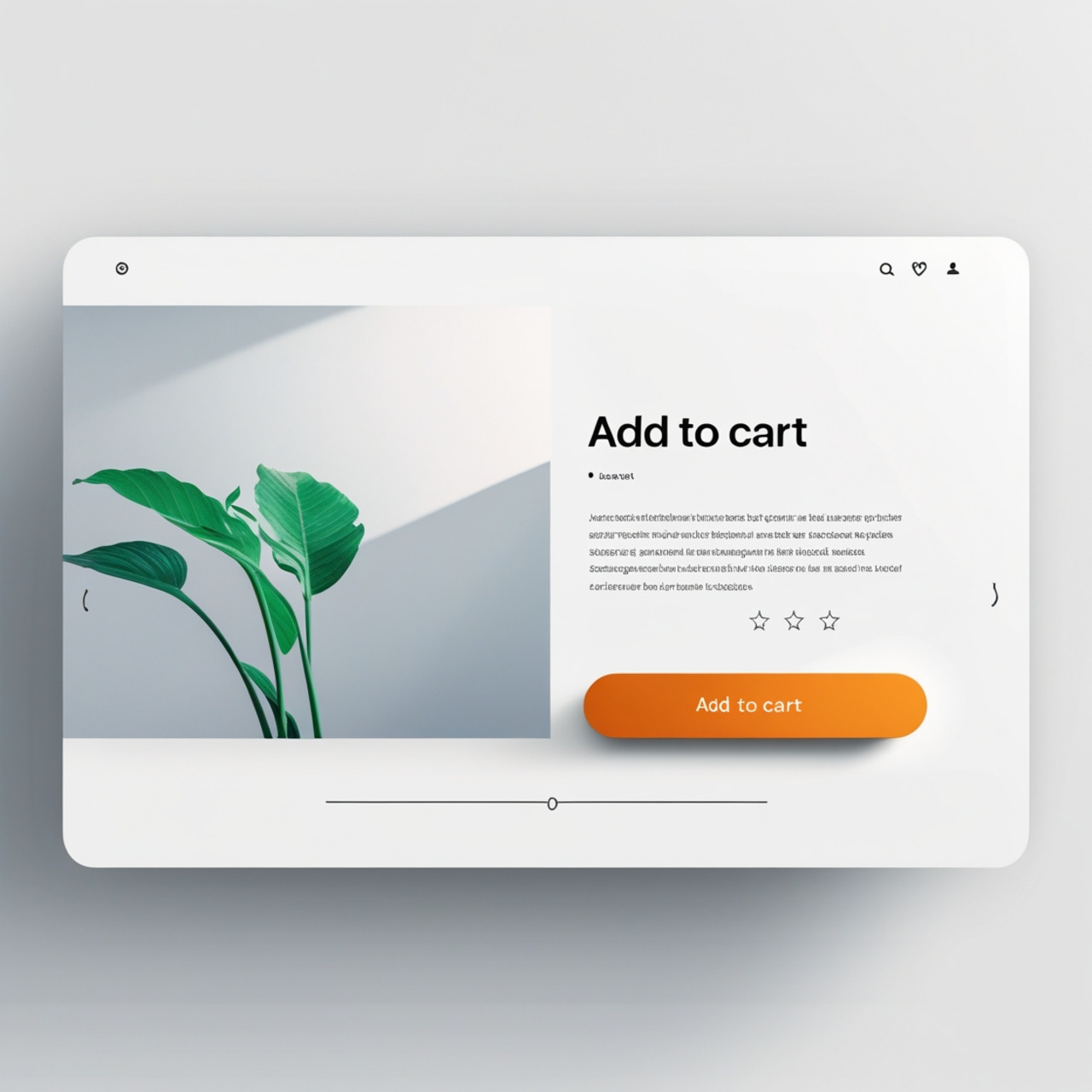

Your product pages are where browsing turns into buying. Strong descriptions, helpful visuals, and smart layout decisions can make all the difference in whether someone clicks “Add to Cart” or moves on to other websites.
Write Clear, Persuasive Product Descriptions
Each listing should include a detailed product description that covers features, materials, dimensions, and use cases. But don’t stop at the facts—use persuasive language to show how the product solves a problem or improves the customer’s life.
Highlight benefits, not just specs. Instead of just saying, “Made of stainless steel,” try, “Built from durable stainless steel that resists rust and lasts for years.”
Use High Quality Images and Videos
People want to see what they’re buying. Upload high quality photos that show the product from different angles, in use, and with size context if relevant. If possible, include video demonstrations or 360-degree views to enhance trust and engagement.
If you’re using a website builder like Squarespace or IONOS, you’ll usually have access to built-in features like image galleries and video embeds to make your product pages more dynamic.

Squarespace: Build and Promote Your Online Store
Organize Products Into Clear Categories
Grouping items into product categories makes it easier for customers to browse. Use logical groupings (e.g., by type, use, or audience) and add filtering and sorting tools so shoppers can refine their search by size, price, color, or rating.
This small step can significantly improve the customer experience and lead to more sales.
Display Reviews and Ratings
Showcasing customer reviews and star ratings builds social proof. Most e-commerce platforms make it easy to integrate review systems right into your product pages, so potential buyers can see how real customers felt about the product before purchasing.
You might like to learn how to add Google Reviews to your website.
Add Trust Signals and Availability Info
Let people know if an item is low in stock, backordered, or on sale. Use clear pricing, shipping timelines, and trust badges (like “Secure Checkout” or “30-Day Returns”) to ease concerns and keep them moving through the customer journey.
7. Set Up Payment Processing and Tax Collection


If you’re going to start selling online, you need to make it easy—and secure—for customers to pay you. That starts with choosing the right payment processor and setting up sales tax collection based on where your customers live.
Choose a Reliable Payment Processor
Your payment processor handles the actual transactions between your site and your customer’s bank.
Some of the most popular options for e-commerce websites include:
Look for a provider that offers:
- Multiple payment options, including credit/debit cards, Apple Pay, Google Pay, and more
- Transparent transaction fees (some charge a flat rate per sale; others use a variable fee model)
- Easy integration with your e-commerce platform or website builder
- Fast payout times and fraud protection
Many platforms—like WooCommerce, and IONOS—offer direct integrations with top payment processors, so setup is typically quick and beginner-friendly.
Offer More Ways to Pay
Customers expect flexibility at checkout. Along with major cards, consider offering:
- Digital wallets (PayPal, Apple Pay, Amazon Pay)
- Bank transfers
- Buy now, pay later options (e.g., Klarna, Afterpay)
- Local methods (like iDEAL in the Netherlands or Alipay in China)
The easier it is to pay, the more likely people are to complete their order—especially on mobile devices.
Set Up Sales Tax Collection
Tax rules vary based on your business location, where your customers are, and what you’re selling. That’s why it’s important to:
- Enable automated sales tax calculation within your e-commerce platform
- Consider using tools like TaxJar or Avalara if you sell across multiple regions
- Stay compliant with local laws to avoid penalties
Most e-commerce solutions now offer built-in tax features or third-party apps to simplify this part of the process—no manual math required.
8. Define Your Shipping and Fulfillment Strategy


Once you’ve set up your products and payments, it’s time to figure out how you’ll deliver your products to your customers. A clear, flexible shipping strategy is essential to running a smooth e-commerce business—especially if you’re aiming for repeat buyers and more sales.
Create a Clear Shipping Policy
A good shipping policy sets expectations and builds trust. It should explain:
- Shipping costs (flat rate, free shipping, calculated at checkout)
- Delivery times (standard, expedited, international)
- Return and exchange policies
- Any special conditions (e.g., delays, tracking availability)
Keep your policy easy to find—many e-commerce websites display it in the footer or on each product page.
Choose a Fulfillment Method
How you handle fulfillment depends on your business size, products, and goals. Here are a few options:
- Self-fulfillment: You handle packing and shipping yourself—good for smaller operations or handmade products.
- Third-party logistics (3PL): Outsource storage and shipping to companies like ShipBob or Fulfillment by Amazon (FBA). This frees you up to focus on marketing and growth.
- Dropshipping: Your dropshipping supplier ships products directly to your customer. You don’t hold inventory, which reduces overhead—but also means less control over quality and delivery times.
If you’re using a hosted e-commerce platform, you may have access to built-in shipping integrations or real-time rate calculators that sync with carriers like USPS, FedEx, or DHL.
Consider Shipping Software
Tools like ShipStation, Easyship, or Shippo help you:
- Compare carrier rates
- Print shipping labels
- Track deliveries
- Automate notifications and returns
Using shipping software early on can streamline your operations and improve the customer experience, especially as you grow.
9. Build Customer Trust and Website Security


For a new e-commerce site, trust can make or break the sale. Shoppers want to know they’re buying from a legitimate business—and they’ll leave fast if something feels off. Luckily, there are a few simple ways to make your online store feel more trustworthy from the start.
Be Transparent and Reachable
Add a Contact Us page with your business’s email, phone number, and physical address (if applicable). Even if you’re a small business or working from home, showing that there’s a real person behind the screen builds confidence.
You can also add a short “About Us” page that shares your story, your mission, or how your products are made. It’s a personal touch that helps attract customers and humanize your e-commerce store.
Show Social Proof
One of the fastest ways to build trust is through customer reviews and ratings. Even just a handful of honest reviews on your product pages can ease doubts for new visitors.
If you’re just starting out, consider sending free samples to friends, family, or influencers in exchange for feedback. Ask satisfied customers to leave a review post-purchase—and make sure to respond if someone has a concern. Engaging with reviews shows you care about the customer experience.
Display Trust Badges and Guarantees
Visual cues like trust badges and payment icons give shoppers confidence at a glance. Include:
- Secure checkout badges (e.g., “SSL Secured”)
- Logos for verified payment processors like PayPal or Stripe
- Satisfaction or return guarantees (“30-Day Free Returns”)
- Shipping protection or “Tracked Delivery” icons
These don’t just signal security—they also reduce hesitation during checkout.
Reassure Visitors with Secure Design Cues
By this point, you should already have an SSL certificate enabled (covered in Section 6). But don’t just rely on the padlock icon—use simple language throughout your e-commerce website that reinforces security and satisfaction. For example:
- “All payments are securely processed”
- “We never store your credit card information”
- “Hassle-free returns within 30 days”
These small reassurances, placed near your product descriptions, cart, and checkout, make a big difference.
10. Launch and Test Your E-commerce Site


You’ve set up your products, picked your platform, and polished your design—now it’s time to make sure everything runs smoothly before your e-commerce website goes live. A little testing now can save you from frustrated customers and missed sales later.
Walk Through the Customer Journey
Start by going through your store like a real shopper. Browse your product pages, add items to your cart, and complete a test checkout. Make sure your payment processor is working, shipping options appear correctly, and confirmation emails get sent. This full walkthrough helps you catch anything that feels clunky or broken—things that could stop someone from completing a purchase.
Test on Different Devices and Browsers
Your e-commerce site needs to work for everyone—not just desktop users. With more customers shopping on mobile devices, make sure your site looks good and functions properly on smartphones and tablets, too. Check across major browsers like Chrome, Safari, Firefox, and Edge. It’s easy to miss layout issues or broken buttons if you’re only viewing your store on one screen.
Speed Test Your Website
People won’t wait for slow pages to load—especially when shopping online. A few extra seconds can mean the difference between a sale and a bounce. Use tools like Google PageSpeed Insights or GTmetrix to check how fast your pages load. These tools will also point out what’s slowing you down—like oversized images or unnecessary scripts—so you can fix them.
A fast site doesn’t just make for a better customer experience—it can also boost your search engine rankings, helping more customers find you organically.
Set Up Analytics From Day One
Before you officially launch, install Google Analytics and Google Search Console. These free tools let you monitor what’s happening on your site: where your traffic is coming from, what people are clicking on, and where they’re dropping off. Pay attention to metrics like:
- Traffic sources
- Bounce rate
- Conversion rate
- Top-performing pages
- Cart abandonment
Having this data from the beginning means you can quickly spot what’s working—and what needs improvement—so you can make smart updates as your e-commerce store grows.
11. Promote Your E-commerce Store


Now that your e-commerce site is live, it’s time to get it in front of the people who need what you’re selling. Promotion isn’t just about throwing ads out into the world—it’s about building a steady stream of organic traffic, engaging your audience, and helping new customers discover your brand.
Start with Content That Helps Your Audience
Publishing useful content is one of the best long-term strategies for growing your online store. A blog can help you rank in search results, build trust, and answer common customer questions.
Write posts that are relevant to your niche—like how-to guides, gift lists, product comparisons, or industry tips. For example, if you sell home office accessories, write about “Best Ergonomic Products for Remote Workers” or “How to Set Up a Focus-Friendly Workspace.” This kind of content helps bring people in before they’re ready to buy—and positions your store as the solution when they are.
Be sure to optimize your blog posts with basic search engine optimization (SEO) practices:
- Use relevant keywords in your titles and headers
- Add alt text to high quality images
- Link to other helpful pages on your site
- Keep your site mobile optimized and fast-loading
Over time, this kind of helpful, consistent content can build trust and drive organic traffic—without spending a dime on ads.
Leverage Social Media to Connect with Customers
Your audience is already spending time on platforms like Instagram, Facebook, Pinterest, or TikTok—so meet them there. Use social media to:
- Share behind-the-scenes content or customer testimonials
- Highlight product categories, new arrivals, and promotions
- Run giveaways or contests to encourage engagement
- Use reels, stories, or lives to show products in action
Encourage user-generated content by asking customers to share photos of their purchases and tag your store. This not only builds community—it also provides free, authentic promotion.
You can also explore paid ads on social platforms to reach a larger audience fast. Target by interest, location, or behavior to get your products in front of the right people.
Build an Email List and Stay in Touch
Email is one of the most effective ways to turn visitors into buyers—and buyers into repeat customers. Start collecting emails from day one by offering something of value: a discount, a free guide, or early access to new products.
Then send thoughtful, timely messages:
- Welcome emails for new subscribers
- Abandoned cart reminders
- Product recommendations
- Special offers or seasonal promotions
Email lets you nurture relationships without relying on algorithms or ad budgets—and it’s all yours to control.
Explore Influencer and Affiliate Marketing
Partnering with influencers or content creators in your niche can help you reach a wider audience through people they already trust. Look for micro-influencers (smaller followings, high engagement) whose audience matches your own.
You can also start an affiliate program, where creators earn a commission for promoting your products. Platforms like ShareASale or Impact make it easy to track links and manage payouts. It’s a win-win: they promote your brand, and you only pay for results.
12. Monitor Site Performance and Optimize


Launching your e-commerce website is a big milestone—but the real growth comes after. Once your store is live, it’s time to dig into the data and start making informed improvements. The goal isn’t just traffic—it’s better performance, higher conversions, and more online sales over time.
Set Up Google Analytics and Search Console
To get started, connect your site to Google Analytics and Google Search Console. These free tools let you track how visitors are finding and interacting with your site. They also help you monitor technical SEO performance and uncover issues that could hurt your visibility in search results.
With just a little setup, you’ll gain access to a wealth of insights—many of which can directly impact your bottom line.
Track the Right Metrics
Don’t get overwhelmed by the numbers. Focus on a few key performance indicators (KPIs) that can guide your decisions:
- Traffic sources: Are visitors finding your store through organic search, social media, paid ads, or referrals from other websites?
- Conversion rate: What percentage of visitors are actually placing orders? If it’s low, your product pages, checkout flow, or trust signals may need work.
- Bounce rate: How many people leave after viewing only one page? A high bounce rate can signal issues with load time, mobile optimization, or unclear messaging.
- Customer journey: Where do people spend time on your site? What paths do they take before making a purchase—or leaving?
- Average order value (AOV): What’s the typical amount someone spends per transaction? Small tweaks like product bundles or upsells can help increase this.
- Customer acquisition cost (CAC): How much are you spending to attract each new customer through paid ads or other campaigns?
Tracking these metrics helps you move from guesswork to strategy.
Use Insights to Improve and Grow
Once you have data, use it to make smart updates to your e-commerce site:
- Tweak product listings if they’re getting traffic but not converting
- Improve site navigation if users seem to get lost or bounce quickly
- A/B test changes to your homepage, checkout flow, or calls to action
- Invest more in sales channels or campaigns that are delivering results
The beauty of e-commerce is that it’s flexible—you can continuously adjust and optimize based on what’s working. Over time, those small changes add up to a stronger, more profitable online store.
Conclusion
You don’t need to write code or hire a developer to launch a great e-commerce website—just the right e-commerce platform and a smart plan.
With today’s tools, building an e-commerce site is faster, easier, and more rewarding than ever. You can get up and running in hours, not weeks, and start reaching customers online right away.
Focus on what matters: a smooth customer journey, solid SEO, and marketing that actually drives traffic. Nail those, and you won’t just launch an online store—you’ll build a business that grows.

Next Steps: What Now?
- Choose the e-commerce platform you want to build your store on.
- Register your domain, set up hosting, and pick a website template.
- Add a few products with descriptions and images to get started.
- Test your site on desktop and mobile, then get ready to launch.
Further Reading & Useful Resources
- How to Create a Website: Step-by-Step Guide for Beginners and Small Businesses
- How To Create an eCommerce Website Using WordPress
- eCommerce Personalization Guide with Benefits, Examples, & Tips
- SEO for eCommerce Sites: A Step-by-Step Guide (+ Tips)
- How to Make a Website Look Professional: 15 Actionable Tips
- How to Start an Ecommerce Business Without Money (3 Easy Ways)
- How to Write an eCommerce Business Plan: (plus tips & examples)
- 20 Profitable eCommerce Business Ideas (+ Next Steps)

