





- 30-Day Money-back Guarantee
- Annual plan includes a professionally built 4-page website at no extra cost
- Support available 24/7/365 via Chat, Phone, Email, Ticket


- 30 Day Money Back Guarantee
- Free Domain Registration, Domain Transfer, Daily Backups, Website Transfer, CloudFlare CDN, BitNinja Server Security, Unlimited FTP Accounts
- Support available 24/7/365 via Chat, Phone, Email, Ticket
DreamHost vs FastComet: Quick Summary
FastComet wins with global data centers, NVMe storage, strong security, and responsive support. It packs in more tools per plan, from daily backups to malware protection.
DreamHost is faster and simpler, with a 100% uptime guarantee and WordPress-optimized plans. Overall, FastComet offers broader features, while DreamHost focuses on speed and ease of use.
DreamHost vs FastComet: Overview
Let’s quickly see what each hosting provider brings to the table.
DreamHost Profile
DreamHost is a popular web hosting provider that covers pretty much everything, from shared and VPS hosting to dedicated servers and cloud options. If you’re using WordPress, there’s also DreamPress, a plan made just for that.
On top of hosting, DreamHost offers extras like a WordPress website builder, domain registration, pro email, Google Workspace, marketing help, and even custom design and site management services.
FastComet Profile
FastComet is a web hosting provider known for its fast loading speeds and reliable performance. It offers a range of hosting options, including shared hosting, cloud VPS hosting, dedicated CPU servers, and WordPress hosting.
You’ll also find extras like domain registration, DDoS protection, and free SSL certificates. Whether you’re running a personal blog or managing a business site, FastComet keeps things simple with straightforward pricing and reliable uptime.
1. Hosting Features and Services Comparison
Here’s how their features stack up side by side.
DreamHost Features
DreamHost’s hosting plans come with some solid features across the board: unlimited bandwidth, SSD storage, free SSL certificates, a website builder, and automated WordPress migration.
The entry-level plan lets you host one website and includes email, starting at just $1.67 per month. If you need more, there’s another plan that gives you unlimited storage, email accounts, privacy protection, and automatic backups.
Both include a free domain for the first year, optimized servers, 100% uptime guarantee, and 24/7 customer support through tickets, live chat, and phone.
For more advanced users, DreamHost offers unlimited MySQL databases, SFTP access, its own custom control panel, and support for the latest PHP versions.
It’s even officially recommended by WordPress.org, so it’s no surprise that its WordPress hosting plans are fully tuned for performance and functionality.
FastComet Features
FastComet’s features vary depending on the plan you choose, but no matter which one you go for, you’ll get NVMe storage, free SSL, Cloudflare CDN, DDoS protection, FTP access, free backups, cPanel, and a one-click installer via Softaculous. That’s more than enough to run a solid small website.
If you’re after a bit more power, the PLUS and ESSENTIAL plans add perks like free restores, malware scanning, restore management, Node.js support, and a noticeable performance boost (2x on the PLUS plan).
The top-tier plan is where things really level up. It includes unlimited email accounts and databases, three free site transfers, WordPress LS, LiteSpeed Enterprise, and advanced development tools. If you’re a developer or need something more powerful, that’s the plan to check out.
All plans are WordPress-ready, but for even more tailored features, FastComet’s dedicated WordPress hosting plans are worth exploring.
2. Prices and Plans Comparison
Let’s talk numbers. Who offers the better deal for your money?
Shared Hosting
DreamHost has two shared plans: Starter at $2.59/month (renews $5.99) and Unlimited at $3.95/month (renews $10.99).
FastComet offers four plans starting lower, with the Starter at $1.79/month (renews $8.95), Essentials at $2.39 (renews $11.95), Plus at $3.59 (renews $17.95), and the Extra plan at $4.99 (renews $24.95).
VPS Hosting
DreamHost’s VPS plans are more budget-friendly, starting at $10/month, while FastComet’s start at $46.16/month.
But when it comes to specs, FastComet gives more for your money. Its top-tier plan offers 16GB RAM and 320GB SSD for $153.95/month, compared to DreamHost’s 8GB RAM and 240GB SSD for $160/month.
Dedicated Hosting
DreamHost offers nine dedicated server plans ranging from $165 to $625 per month, with the top plan packing 12 cores, 128GB RAM, and 1,920GB SSD.
FastComet’s dedicated hosting starts lower at $107.06/month, maxing out at about $268.76/month. Its top plan offers 62GB RAM and 640GB SSD, while DreamHost’s similarly priced option gives 64GB RAM and 480GB SSD.
3. Website Performance Comparison (Uptime & Speed)
Website speed is important because faster sites improve user experience, help your site rank higher, and reduce bounce rates. To check how these two providers perform, we ran tests using GTmetrix.
DreamHost Uptime & Speed Test
Here’s a quick look at DreamHost’s uptime and speed test results:
- Grade: A
- Performance Score: 88%
- Structure Score: 96%
- Largest Contentful Paint (LCP): 1.3s
- Total Blocking Time (TBT): 10ms
- Cumulative Layout Shift (CLS): 0.02
- Fully Loaded Time: 1.6s
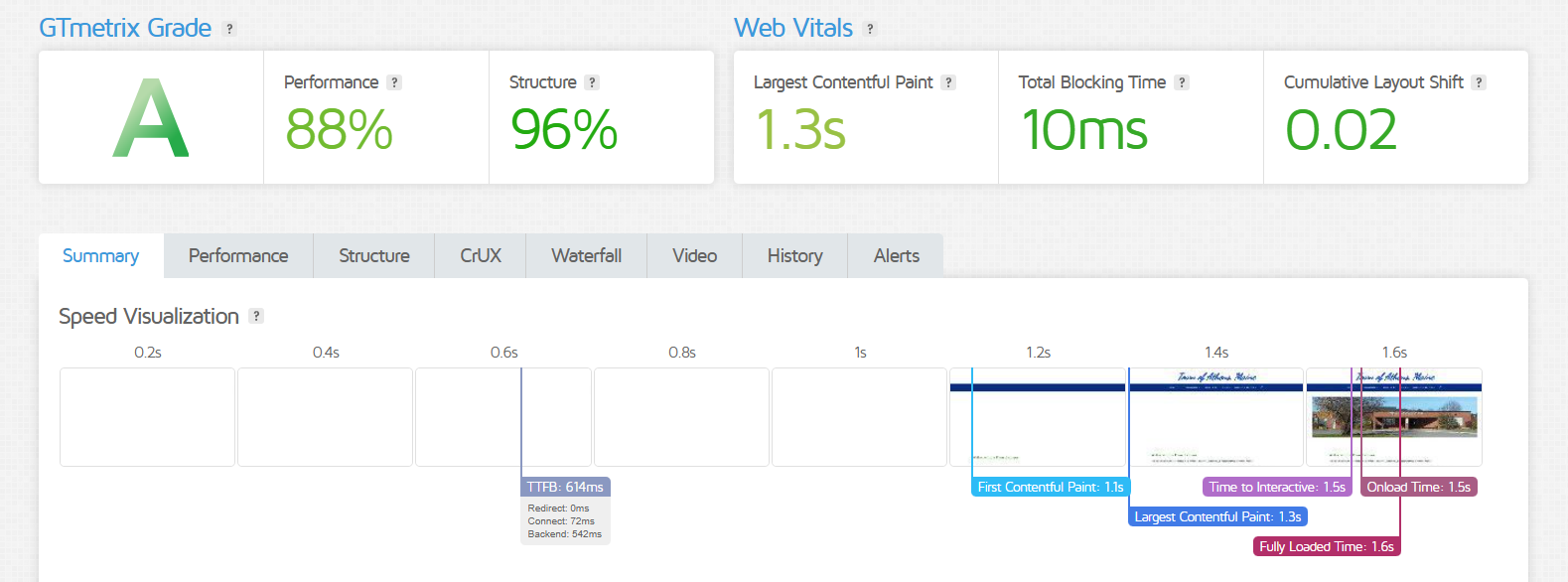
It nailed an A grade, delivering fast load times and a stable layout. The main content showed up in just 1.3 seconds, and the full site loaded in 1.6 seconds.
With virtually no delays or layout shifts, DreamHost offers a smooth and speedy experience that keeps visitors coming back.
FastComet Uptime & Speed Test
Here’s a quick look at FastComet’s uptime and speed test results:
- Grade: B
- Performance Score: 76%
- Structure Score: 89%
- Largest Contentful Paint (LCP): 2.0s
- Total Blocking Time (TBT): 0ms
- Cumulative Layout Shift (CLS): 0.11
- Fully Loaded Time: 3.7s
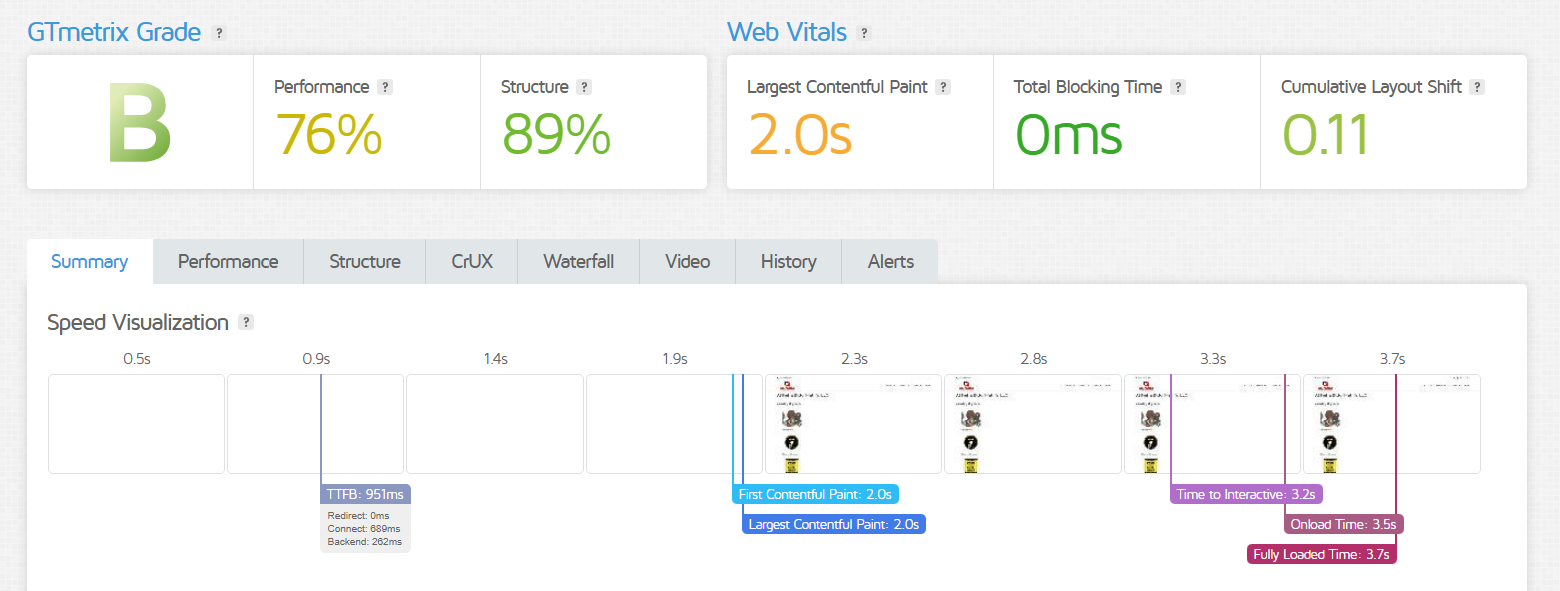
This website earned a solid B grade with decent performance. The main content loaded in 2 seconds, and the full site took 3.7 seconds to load.
While there were no blocking delays, the layout shifted a bit more than ideal, which might affect the browsing experience slightly.
Overall, FastComet offers reliable speed but isn’t quite as fast or smooth as some competitors.
4. Customer Support Comparison: Who’s Got Your Back?
Support is especially important when you get stuck somewhere. Here’s how each provider handles customer help.
DreamHost Customer Support
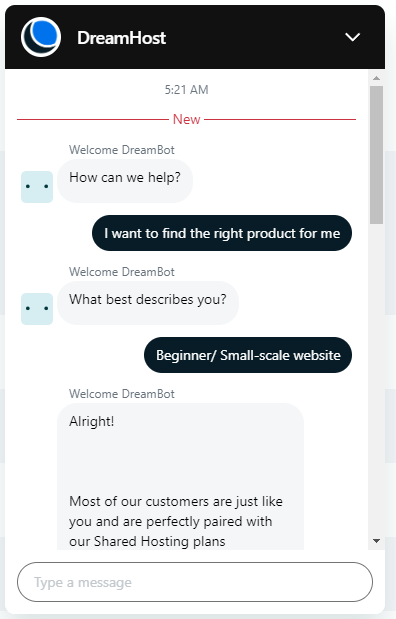
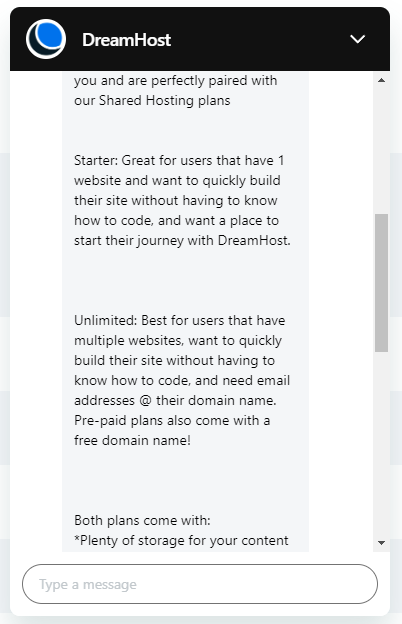
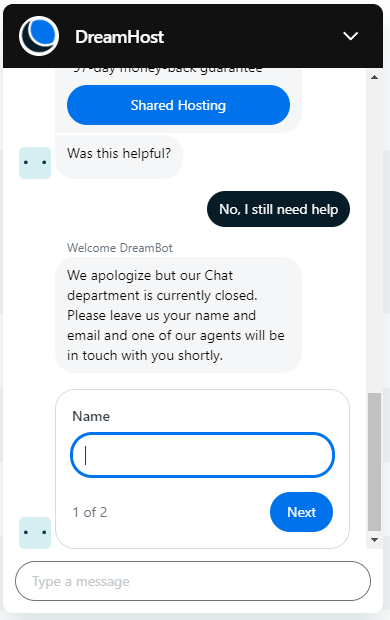
DreamHost offers email, live chat, and ticket support through its control panel. I tested the live chat and first interacted with a bot that asked some questions and gave recommendations.
When I asked to chat with a human, no agents were available at that moment. Instead, I was invited to leave my contact info so someone could get back to me later. It turns out live chat for non-customers is only available from 8 AM to 4 PM PST.
FastComet Customer Support
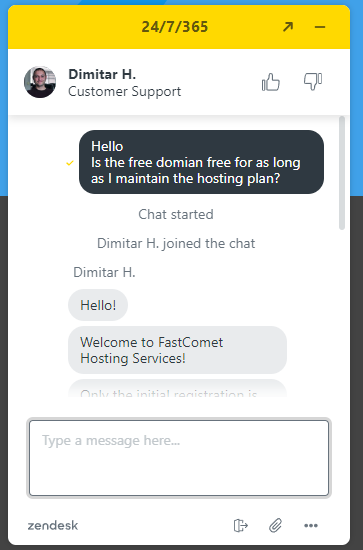
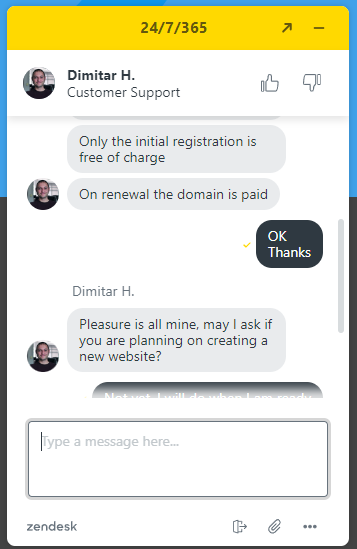
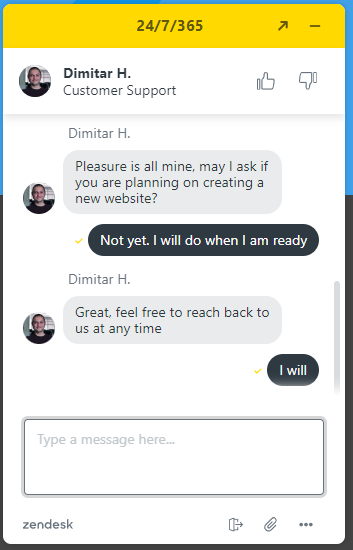
FastComet provides support via email, live chat, tickets, and phone. I tried their live chat and got connected to an agent, Dimitar, within seconds. He answered my question quickly and was friendly and helpful.
Unlike many services, FastComet doesn’t rely mainly on bots. There was only a quick bot message before I reached a real person.
They also have a large knowledge base covering all things web hosting. So, while their live chat is fast and personal, you can also find answers on your own with their helpful guides.
5. Ease of Use Comparison: Which Platform Is Easier to Use?
Both aim to make hosting simple, but one might be easier to navigate. Which one is that?
DreamHost Ease of Use
DreamHost makes hosting simple with its custom control panel, which lets you manage your websites, email, and domains easily. Advanced users can customize their hosting setup with a suite of tools.
New users can transfer or create a site without hassle, and VPS or dedicated plans offer flexible OS options. If you need help, support is available through the control panel.
For WordPress users who want less technical work, DreamHost’s managed WordPress plans take care of all the hosting details, so you can focus on your content.
FastComet Ease of Use
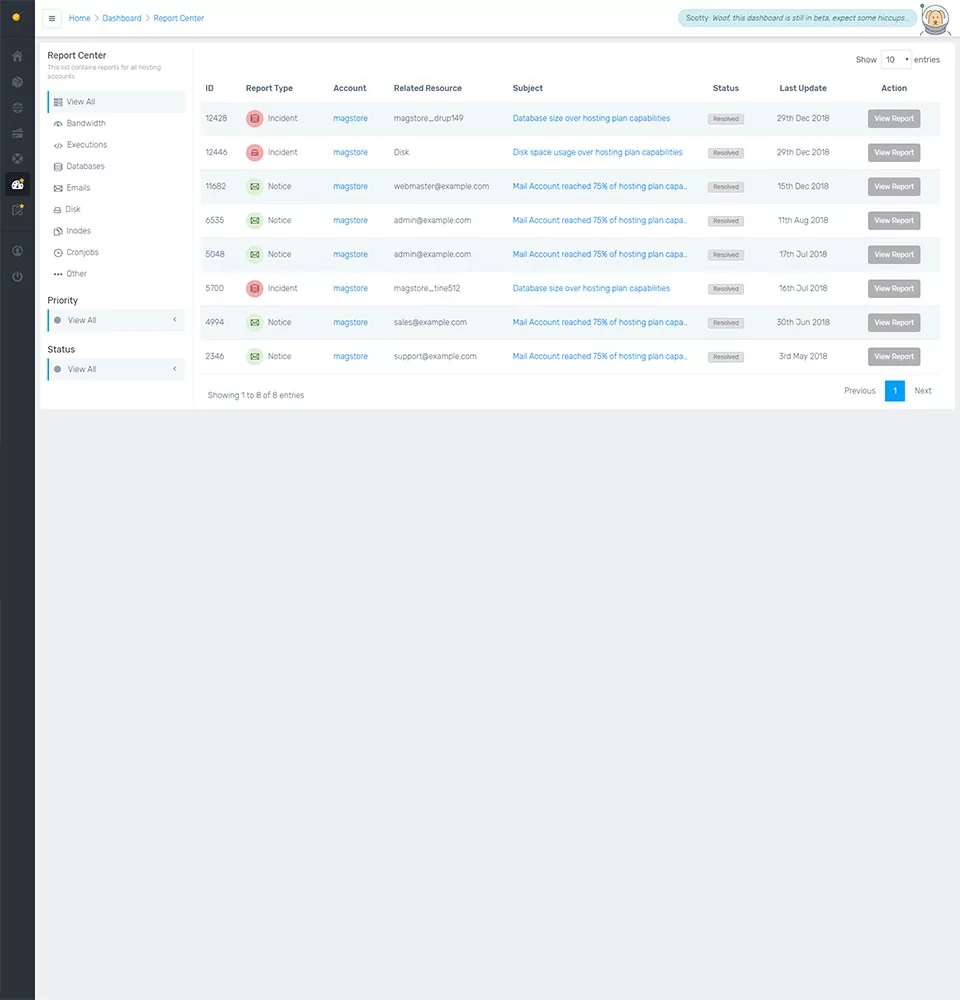
FastComet’s Client Area dashboard works smoothly on desktops, smartphones, and tablets. From there, you can easily manage your services, keep an eye on processes, and turn products on or off with just a few clicks. Billing and other tasks are simple, too.
For site maintenance, FastComet uses the evergreen cPanel, available in 29 languages. You can install CMS platforms, apps, and other features for free with straightforward prompts. Setting up and managing email is easy with their full webmail platform, and the built-in file manager makes handling files hassle-free.
Plus, the dashboard gives you a quick snapshot of your website, server, and resource performance, along with tips to optimize your site and save costs.
6. Privacy and Security Comparison: Which Platform is More Secure?
Let’s see what protection you get with each plan.
DreamHost Privacy and Security
DreamHost includes plenty of privacy and security features with its shared hosting plans. You get SSL certificates, automatic WordPress updates, daily backups, and free domain privacy. They also offer shell access, Cloudflare protection, DDoS protection, and malware scanning.
While DreamHost supports a web application firewall (WAF), it doesn’t have SiteLock security. If you use VPS or dedicated servers, you’ll have even more tools and flexibility to boost your server’s security.
FastComet Privacy and Security
FastComet offers solid security features like malware scanning, restore manager, free backups, DDoS protection, Cloudflare CDN, spam protection, and SSL certificates.
But not all features come with every plan. For instance, the entry-level plan doesn’t include free restores, restore manager, on-demand backups, or SSH access.
Still, key protections like web application firewall (WAF), IP reputation guard, malware protection, and account isolation are available to all users, no matter the plan.
7. Server Locations Comparison
Server location impacts the speed of your website, so here’s where their data centers are based.
DreamHost Server Location
DreamHost’s servers are mainly in the U.S., with data centers in Ashburn, Virginia, and Hillsboro, Oregon.
They use Cloudflare CDN to help deliver fast, reliable loading speeds no matter where visitors are located.
FastComet Server Location
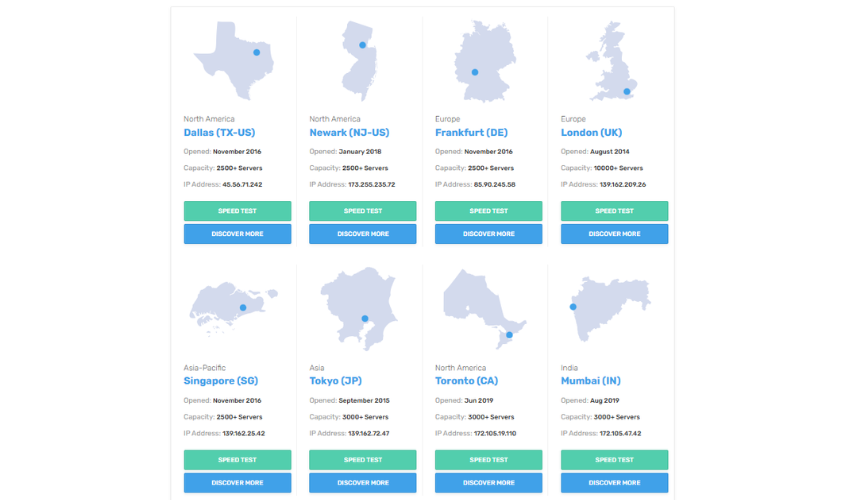
FastComet’s data centers are spread around the world to give you good coverage. They have three in North America, two in the U.S. (Dallas and Newark), and one in Toronto, Canada.
In Europe, there are centers in London, Frankfurt, and Milan. For Asia, FastComet has data centers in Singapore, Tokyo, and Mumbai.
They also have locations in São Paulo, Brazil, and Sydney, Australia.
DreamHost vs FastComet: Final Recommendations
Still not sure which to pick? Here’s when each host makes the most sense.
Why Choose DreamHost
Choose DreamHost if you want:
- Simplified shared hosting plans
- Multiple dedicated server hosting options
- Specialized WordPress hosting plan
When to Consider FastComet
Consider FastComet instead if you want:
- Data center locations outside of the United States
- Fast website loading speeds
- Round-the-clock customer support
- More features per plan than DreamHost
The Bottom Line
FastComet comes out ahead of DreamHost thanks to its wider range of features, global data centers, stronger security on premium plans, and more responsive customer support.
That said, its plans can feel a bit pricey if you’re on a tight budget. In those cases, DreamHost might be the better fit, especially since it offers faster loading speeds and a smoother performance. Just be sure to watch for limits on features and check renewal pricing closely.

